 InstaCal
Get InstaCal
InstaCal
Get InstaCal
Raise your wrist. It already knows.
InstaCal for Apple Watch opens to the one thing this minute calls for: the meeting you’re in and how long is left, when to leave for the next one, the task about to slip, tomorrow once today is done.
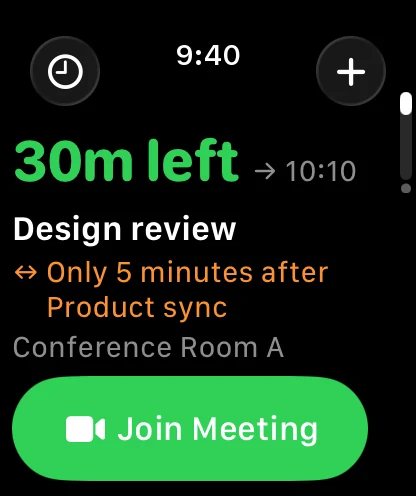
One page. A whole day.
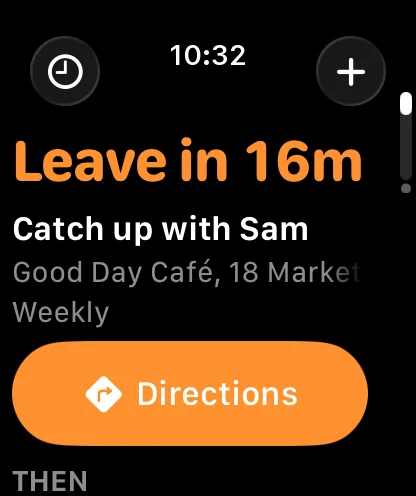
The first page is called Now, and it never shows the same thing for long. Drag the slider and watch one ordinary Tuesday go by.
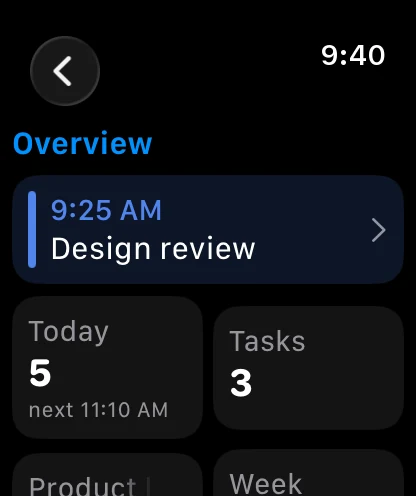
You’re in Design review with thirty minutes left, and Join is already under your thumb. It even noticed you only got five minutes after the last one.
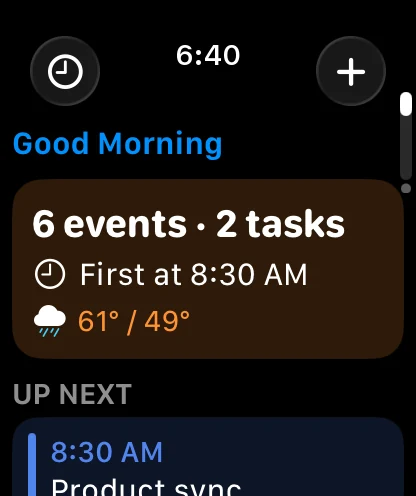
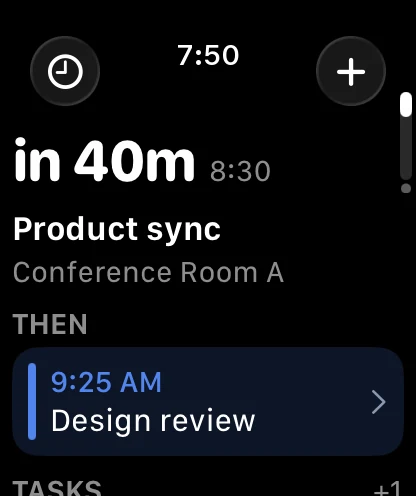
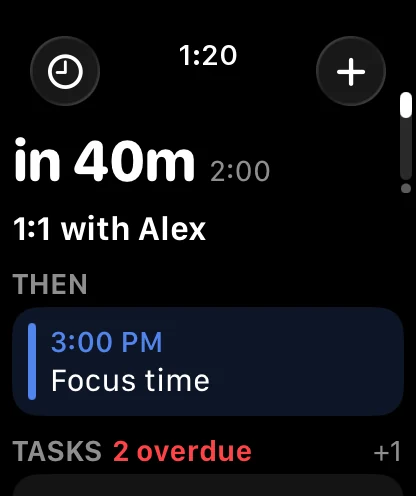
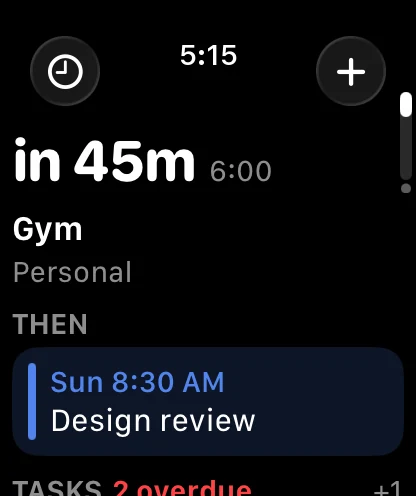
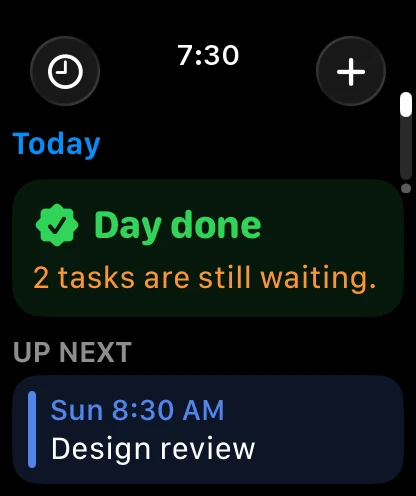
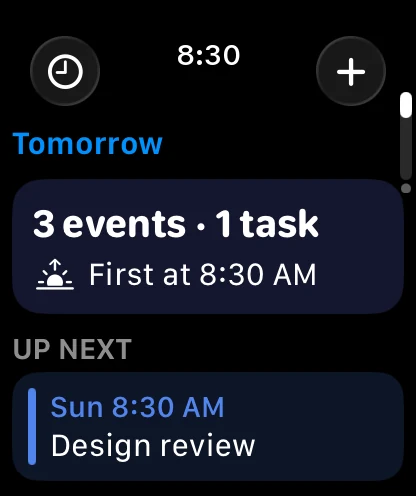
Not everyone’s day looks like a calendar.
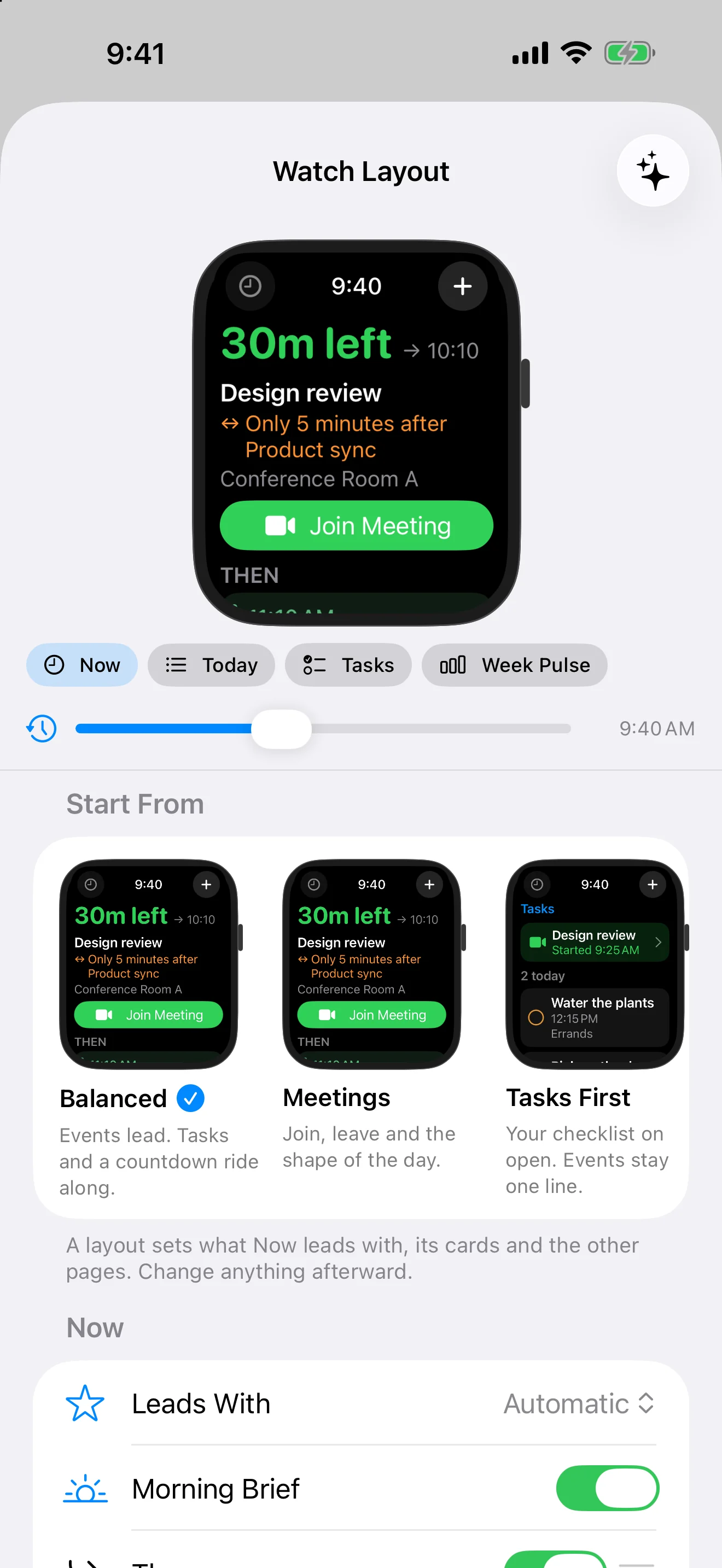
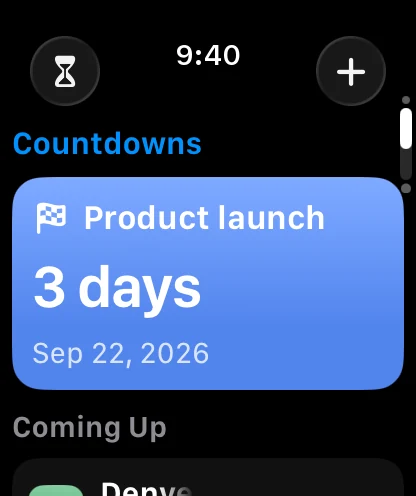
Some people live in meetings. Some live in a checklist. Some are just counting the days to Denver. Pick the layout that sounds like you, then move anything you like.
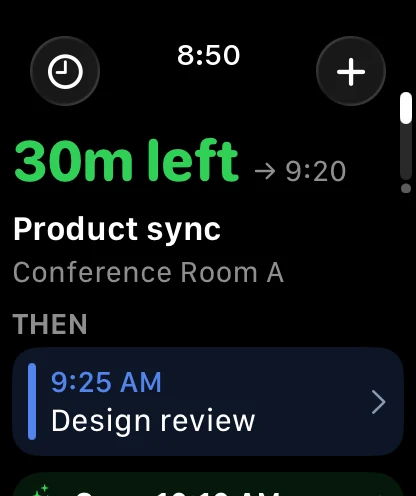
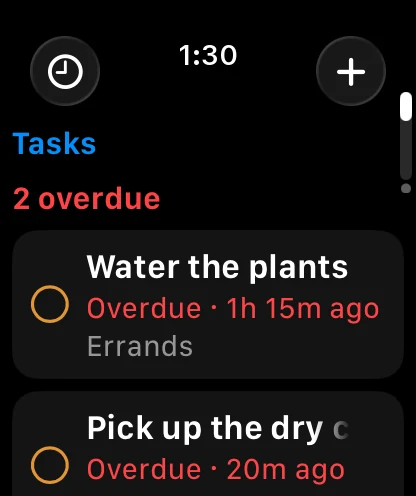
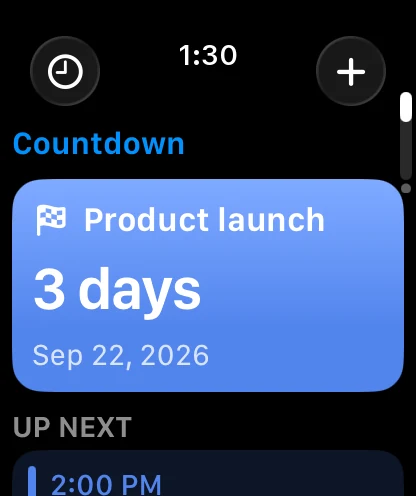
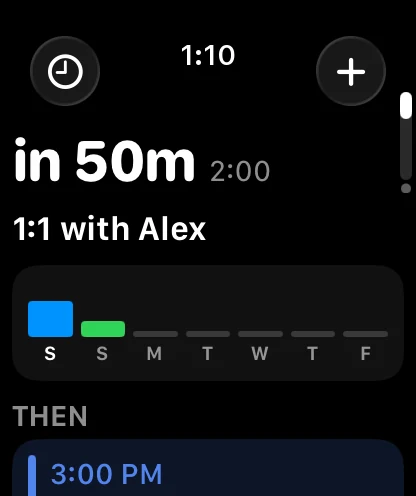
Events lead. Tasks and a countdown ride along.The everyday layout: whatever’s next on the calendar, with what’s due and what you’re looking forward to right underneath.
Try it on before you wear it.
On your iPhone, InstaCal shows a Watch running your real day. Tap a layout and it changes. Drag cards and pages into the order you want. Slide the clock to breakfast, to mid-meeting, to after dinner, and see exactly what your wrist will say.
Every one of those choices is on the Watch too, under Customize, and the two stay in step whichever one you touch.
See the shape of the day.
A list tells you what’s next. Dayline tells you what you’re in for. Turn the Digital Crown and the hours roll by.
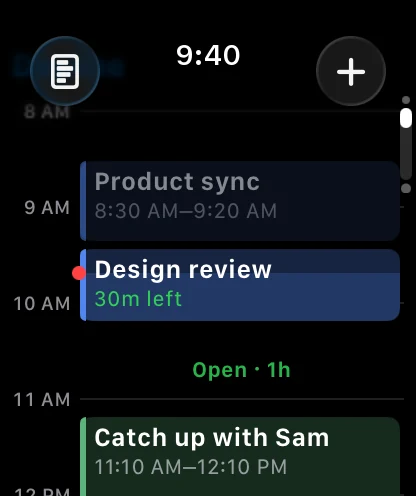
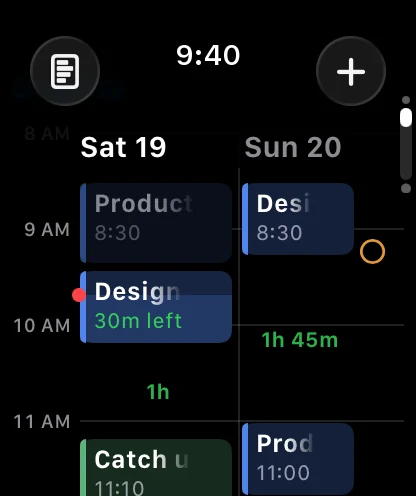
- Long meetings look long. A forty-five minute review takes up forty-five minutes of screen, so a packed afternoon looks packed.
- Open time says so. The hour between Design review and lunch is labelled, in green, as yours.
- What’s over steps back. The part of the meeting behind you dims, and the red line is always now.
- Tomorrow, alongside. Flip to two days when tonight’s question is really about the morning.
Your pages. Your order.
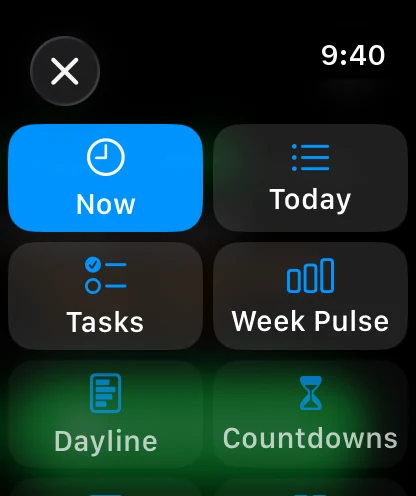
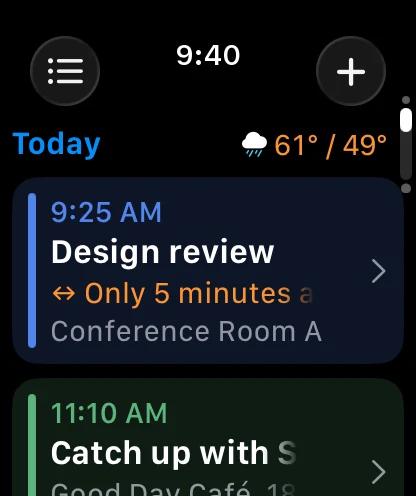
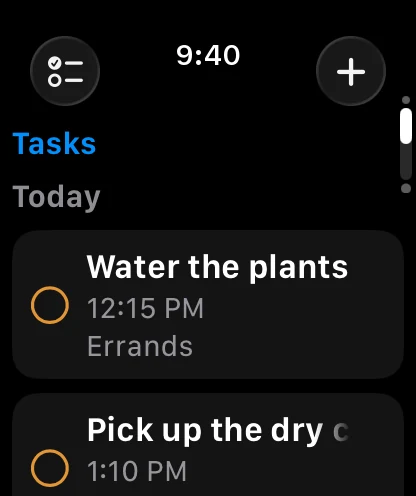
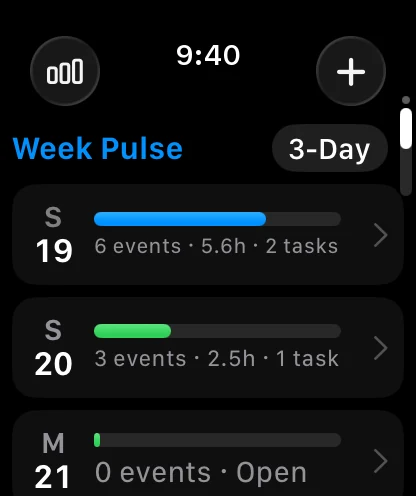
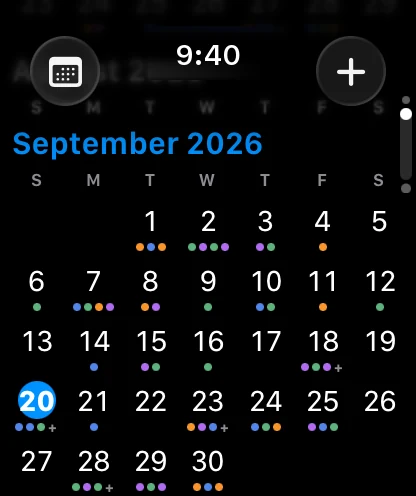
Keep the pages you use, drop the ones you don’t, and put your favorite first. The button in the corner always shows where you are and jumps anywhere in one tap.
Don’t just look. Do.
The button you need is the big one, and a double tap presses it. Everything else is one screen deeper, not buried in your pocket.
Join from your wrist
When the link goes live, Join takes over the screen. Zoom, Meet, Teams or FaceTime, InstaCal finds it in the invite.
Leave on time
It counts down to when you need to walk out the door, not to when the meeting starts. Directions is right there.
Say yes, maybe or no
An invitation that’s waiting on you shows up dashed, like a plan that isn’t real yet. Answer it in one tap.
Move it, fix it, cancel it
Push a meeting thirty minutes, change the alert, swap the calendar. If you change your mind, Undo is on the screen.
The same good judgment, on your watch face.
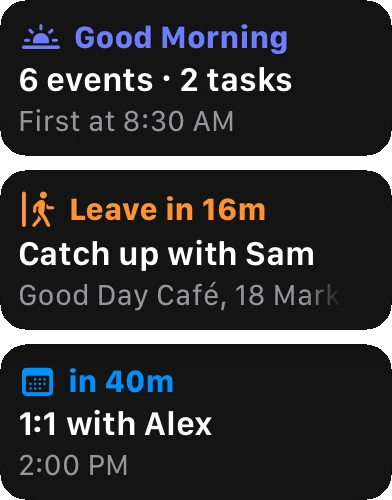
The Now complication shows whatever the Now page would: Good Morning with the day’s counts, a ring closing on the meeting you’re in, Leave, Join, a task coming due, tomorrow. In the Smart Stack it rises when the moment does.
- Twelve to choose from. Up Next, Day Timeline, Leave By, Tasks Due, Today’s Load, Countdowns, Join Next, Conflict Check, Open Window, Date and more, each answering one question well.
- A tap opens what you were looking at. The date opens your day. The meeting opens the meeting. Nothing opens to an error.
- Every face, its own calendars. Work on the weekday face, family on the weekend one, and a quieter privacy level on the face people can see.
Your iPhone can stay in the other room.
Your Watch carries a week of your schedule, so every page works on a run, in the garden, or while your phone charges upstairs.
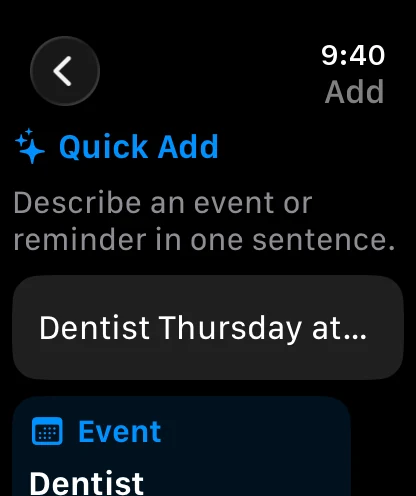
- Say it, and it’s understood right there. “Dentist Thursday at 3pm” becomes an event on your wrist, with nothing to wait for.
- Search what you’re carrying. If the iPhone doesn’t answer, you get this week’s matches from the Watch itself, and the full calendar when it does.
- Nothing gets lost. Anything that truly needs the iPhone waits its turn and lands exactly once when you’re back in range.
Small, on purpose.
Long titles fade, they don’t…
A title that runs out of room dissolves at the edge instead of spending three characters on dots. You read more of every line.
The details you chose
Location, organizer, notes, calendar: the two rows you picked for your agenda are the two rows under every title on your Watch.
Private before it leaves
Choose calendar names only, or just “Busy”, and the real titles never travel to your wrist at all.
Always On, honestly
With your wrist down, the one thing that matters stays lit and keeps counting. No fake buttons you can’t press.
Everything else you’d want to know.
What does InstaCal for Apple Watch need?
watchOS 11 or later and a paired iPhone running iOS 18 or later with InstaCal installed. The Watch app comes with InstaCal; there is nothing extra to buy.
Does it work when my iPhone isn’t nearby?
Yes, for a week at a time. The Watch carries seven days of your schedule, so every page keeps working. Quick Add understands your sentence on the wrist, Search looks through the week your Watch holds, and anything that needs the iPhone, like saving a new event or answering an invitation, waits in a queue and goes through once when the iPhone is back.
Can I choose what the Watch app opens to?
Yes. Pick from five layouts (Balanced, Meetings, Tasks First, Countdowns and Planner) or arrange it yourself: which pages exist, their order, what the Now page leads with and which cards follow it. Do it on the Watch under Customize, or on iPhone in Settings, Apple Watch, Layout, where a live preview shows your own day at any hour.
Can different watch faces show different calendars?
Yes. Every complication you place chooses its own Calendar Set, events or reminders, look-ahead, privacy level and what a tap opens, so a work face and a weekend face can show different schedules.
Which calendars does it work with?
Everything InstaCal on your iPhone shows: Apple, Google and Microsoft 365 calendars, Apple Reminders, and tasks from Google Tasks, Microsoft To Do and Todoist.
Is the Apple Watch app a separate purchase or subscription?
No. InstaCal is $19.99 once and includes the Mac, iPhone, iPad and Apple Watch apps, every widget and every complication. There is no subscription and no account.

Put the next right thing
on your wrist.
The Apple Watch app comes with InstaCal, the fast calendar for Mac, iPhone, iPad and Apple Watch.
$29.99 $19.99, once. Every app, every widget, every complication, every future update in the price.
See it on iPhone, iPad and Mac, or meet the iPhone widget you never have to open.