A glance, a panel or the whole calendar.
InstaCal gives each job the right amount of space, from the strip at the top of the screen to a planning window with three working panes.
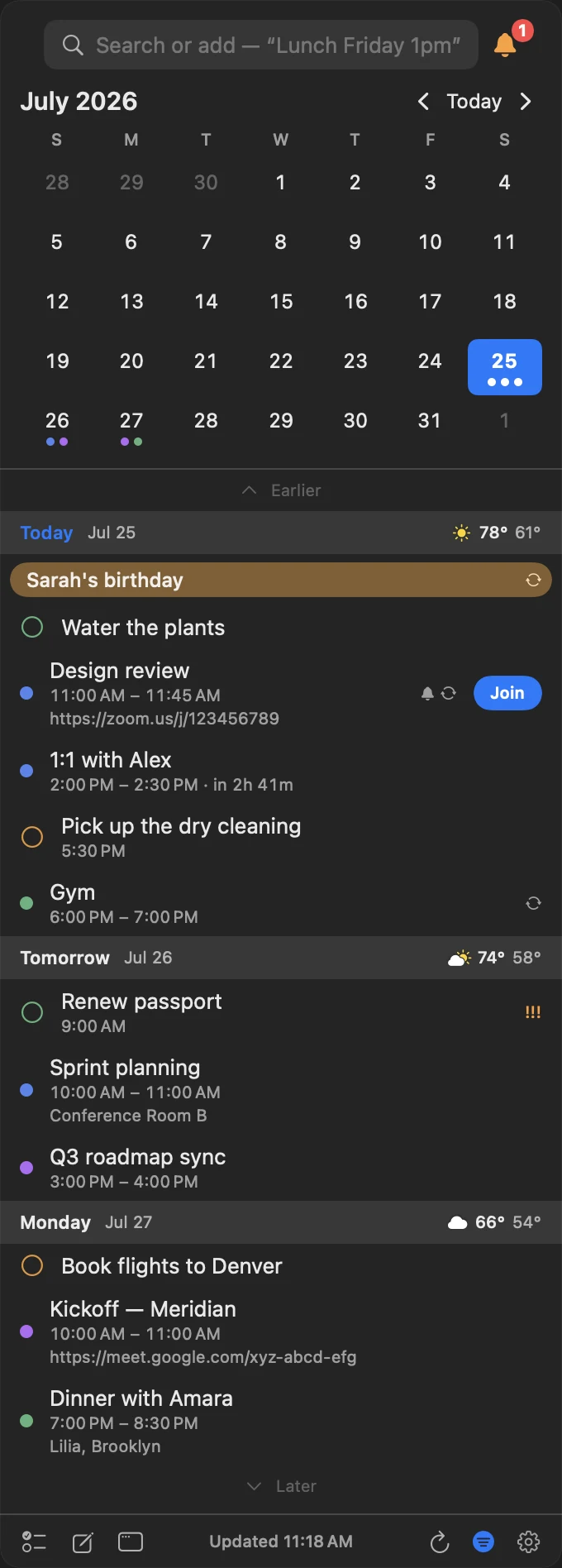
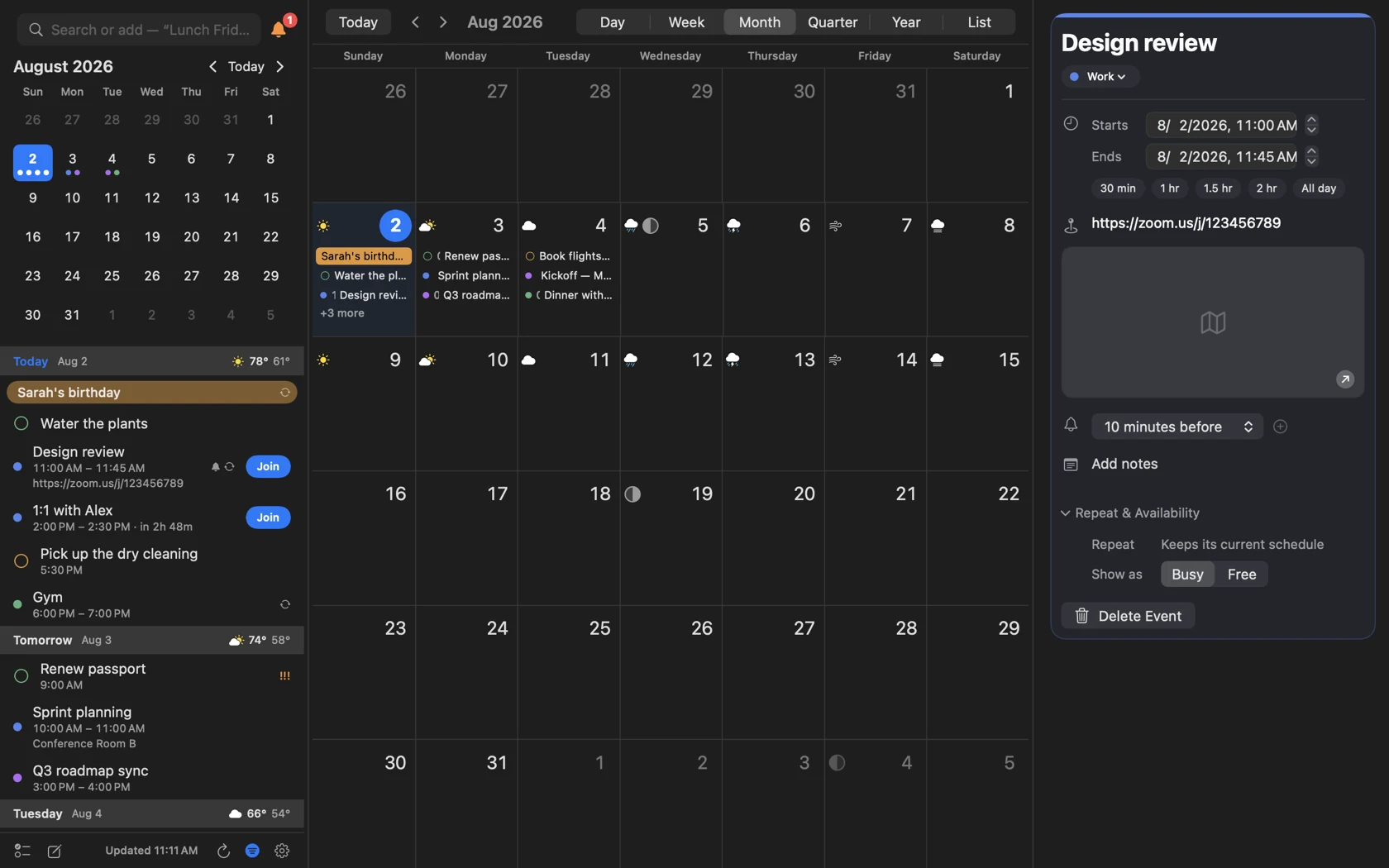
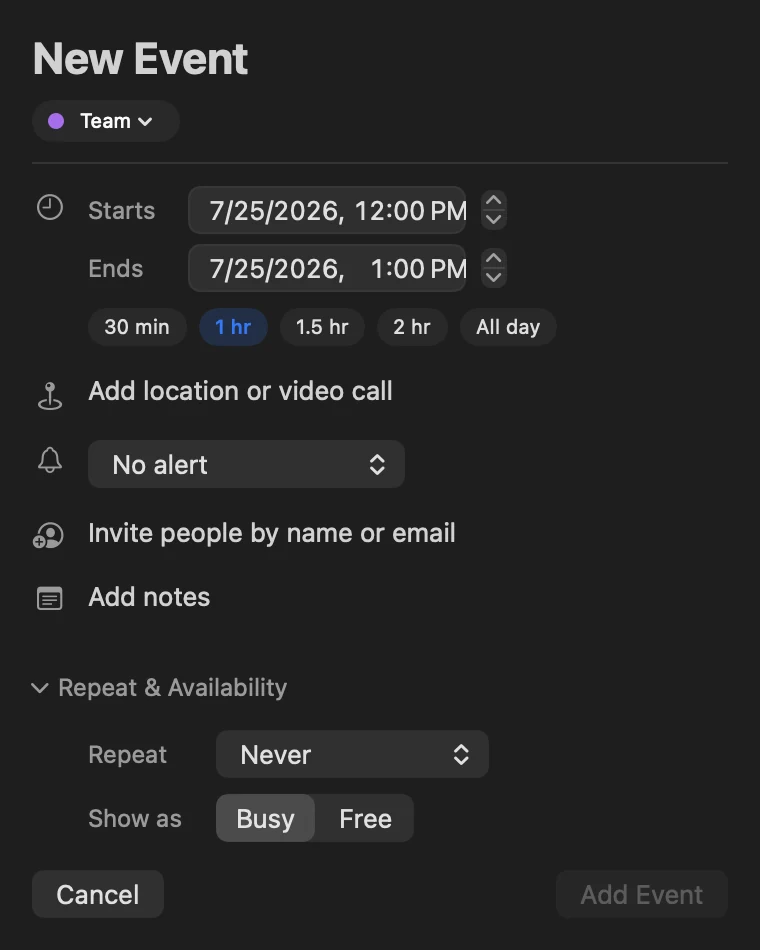
Built for the part after you glance at the day.
InstaCal now helps shape the week, not just display it.
Smart Filters
Save the calendars, search, rules and view for a reusable project or planning workspace.
Find a Time
Set working hours and minimum breaks, see conflicts and choose from open meeting slots.
Templates
Reuse only the event or reminder fields you choose, under a name that stays meaningful.
Availability Sharing
Turn proposed open times into text, an image, PDF or calendar file without publishing your calendar.
Conflict Blocking
Mirror selected private commitments as generic Busy blocks on another calendar without copying details.
Countdowns
Link a calendar event or add a standalone important date, then feature it in widgets without duplicating the event.
The guest question
Before an edit, reschedule, move or delete reaches the people you invited, InstaCal asks whether to email them — the same Send / Don't Send choice Google Calendar offers.
Power when you need it. Quiet when you do not.

Open, type, Return, Escape — and focus is back where it started.
Global shortcuts open the panel, start an event or jump to reminders. Every menu command and calendar view can take a shortcut you choose.
- Search, Quick Add and English Quick Edit in one field
- Arrow-key panel navigation
- Command-1 through Command-6 for the six calendar views
- Focus returns to the app you were using

Choose what sits beside the calendar — or nothing at all.
Settings › Calendar › Sidebar decides whether the column beside the grid is your agenda, a scrolling run of months, the calendar list, both together, or gone entirely. With no column, the toolbar moves up beside the month title and the calendar takes the whole window.
- Month runs continuously; Quarter is thirteen weeks with the month boundaries ruled as seams
- Year is a run of month rows, four across
- Week slides sideways through two to seven days at a time — three by default
- About six years of events are mirrored locally, so 2024 and 2029 open as fast as today
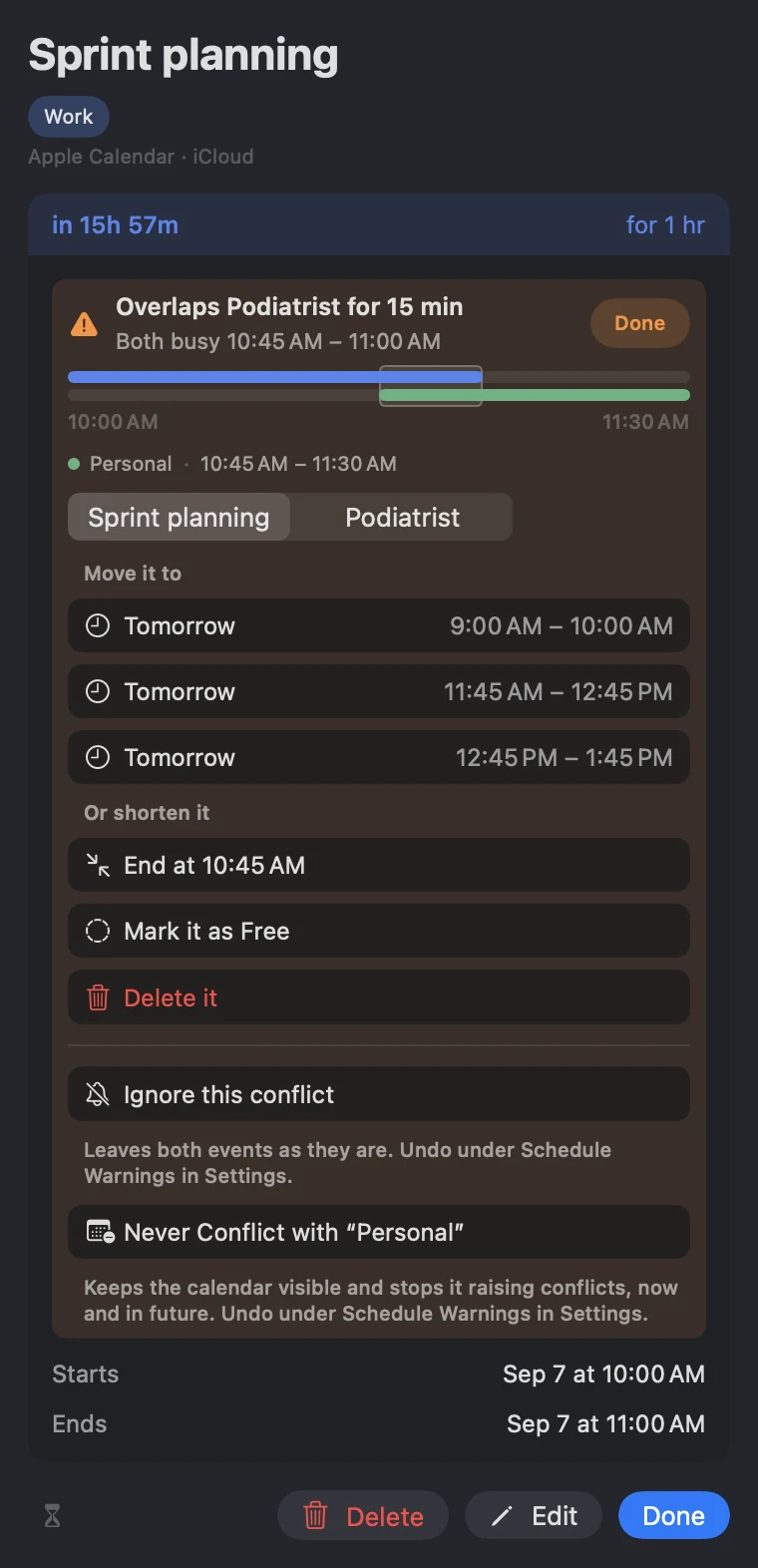
An overlap says what it costs you, then offers the ways out.
A collision gets a card of its own: the other event named, the exact minutes in dispute, and both drawn as bars on one shared axis. Click anywhere on it and the answers open underneath.
- Open times to move to, measured against the same calendars that called it busy
- Shorten it to the minute the other event starts, or mark it Free
- Ignore one collision, or keep a whole calendar out of conflict checking
- An hour outside your working day reads as a note, not an alarm
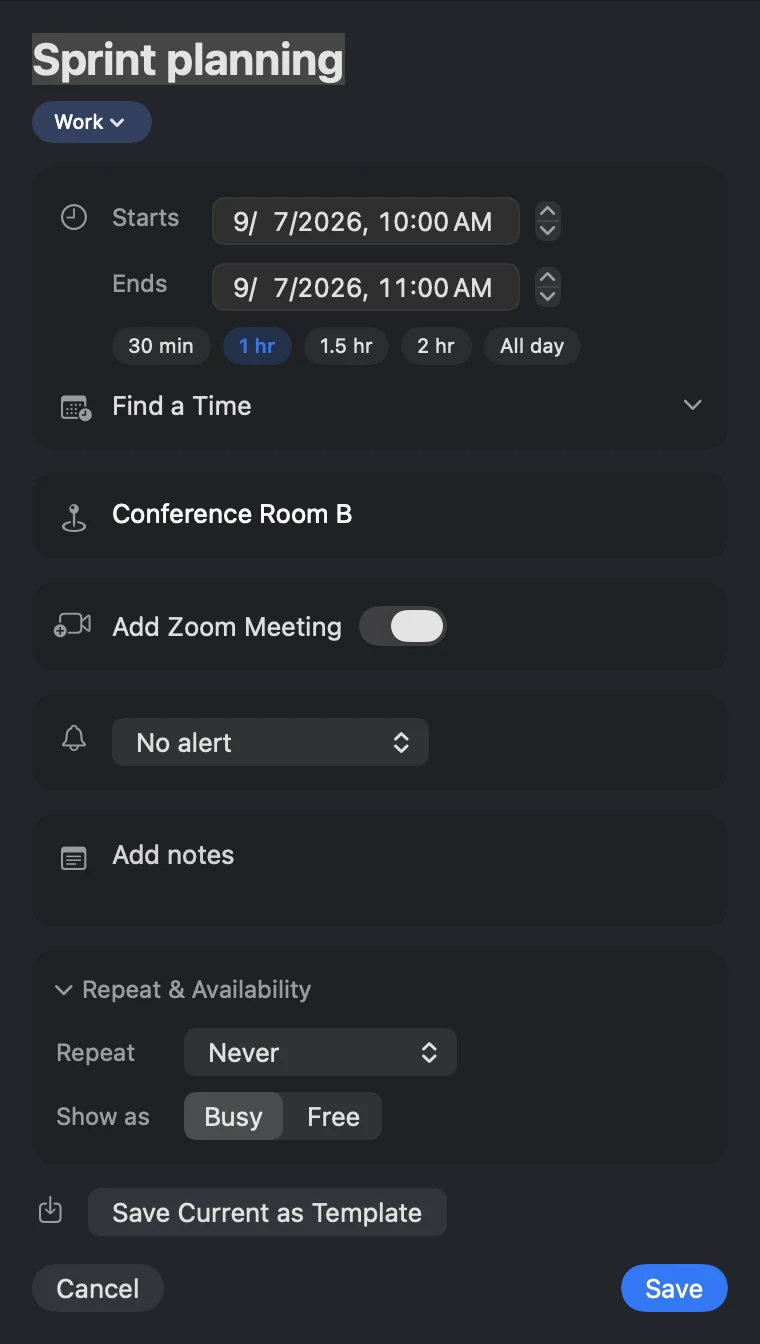
A Zoom call on a calendar whose provider has none of its own.
Connect Zoom once under Settings › Accounts and the event editor can mint a meeting for any non-repeating event — including one on an iCloud or CalDAV calendar, where Meet and Teams are not on offer.
- The meeting belongs to the event, not to the calendar
- It travels with the event when you move it between calendars
- It goes away when the event does
- Google Meet and Teams still come from their own providers
The right slice of the calendar, directly on the desktop.
Next Event, Now + Next, Days Ahead, Week Map, Reminders, Today, Month, Up Next + Calendar and Countdowns cover every useful widget size.
- Interactive reminder completion
- Multi-day events drawn as continuous bars
- Per-widget System, Light or Dark theme
- Explore every widget and size
The Mac app in short
- Calendar sources
- Apple, Google and Microsoft 365 — plus iCloud, Fastmail, Yahoo, Fruux and any other CalDAV server, signed in inside InstaCal rather than in System Settings.
- Adding an account
- iCloud, Fastmail, Yahoo and Fruux arrive with their server address already filled in and a link to the page where that provider issues an app-specific password; anything else standards-based goes in under CalDAV. A webcal, .ics or HTTPS feed subscribes with an optional password and a re-check interval you choose.
- Tasks
- Apple Reminders and Todoist sit in the same day: add, reschedule, complete and reopen either one, with priorities intact.
- Notifications
- System Notifications or InstaCal's dedicated Alarms window, with event, reminder, invitation and leave-by actions.
- Files
- View and manage supported attachments, import and export ICS calendars, preview duplicates and print the visible schedule.
- Customization
- Theme, accent, panel size and background, agenda density, calendar colors, menu bar format, week numbers, weather and a second time zone.
- Privacy
- InstaCal contains no analytics and no tracking. Account tokens and app-specific passwords stay in Apple's Keychain, and events sync directly between your device and your calendar provider — there is no server of ours in between.
- Requirements
- macOS 15 Sequoia or later, on Apple silicon or Intel.
Questions about InstaCal for Mac
What does InstaCal require?
Is InstaCal only a menu bar calendar?
Which accounts can I connect?
Can InstaCal show my Todoist tasks?
Does InstaCal collect any data?
How much does InstaCal cost?

Put your whole calendar one keystroke away.
InstaCal for Mac, with iPhone, iPad and Apple Watch included. $19.99 once.
$29.99 $19.99 once. One purchase includes InstaCal for Mac, iPhone, iPad and Apple Watch. No subscription, InstaCal account or ads.
More from InstaCal
Mac menu bar calendar
Month view, long-range agenda, reminders and invitations in one panel that opens with a keystroke.
Calendar widgets
Ten native widget designs across Mac, iPhone and iPad, with live countdowns, continuous multi-day bars and reminders completed in place.
Plain-English event entry
Type "Lunch with Sam Friday 1pm" and press Return. A live preview shows what you'll get.
Google Calendar in the menu bar
Sign in through your browser, keep tokens in your Keychain, and get Google events in the menu bar.
InstaCal for iPhone
A complete touch-first calendar with six views, natural-language entry, reminders, widgets, Live Activities and one-tap meeting Join.