The app shows the work instead of describing it.
Every core calendar screen shown here was captured from the current iPhone build with one consistent set of fictional sample data.

The entire day in one continuous view.
A mini month gives the date context; the agenda puts events, invitations and Apple Reminders in the order they happen.
- Weather and moon information stay attached to the day
- Live countdowns show exactly how close the next event is
- Join Zoom, Meet, Teams, Webex and more without hunting for a link

Tasks belong beside the time they affect.
See what's due alongside the day's events, or open the focused Reminders view when the list itself needs attention. Connect Todoist and its tasks arrive in the same lists and the same days as Apple Reminders — ticking one off in a widget completes it in Todoist.
- Due time, list, notes and priority remain intact
- A new reminder is a hold away: hold + for Add Event or Add Reminder
- Over the Reminders list, a plain tap adds a reminder
- Add, reschedule, complete and reopen without switching apps

The month stays readable on a phone.
Event bars, weather and moon phases stay in the calendar grid, so the shape of a busy month is visible before you open a day.
- Colored event bars preserve calendar context
- Weather and moon information remain attached to each date
- Tap any day to move directly into its schedule
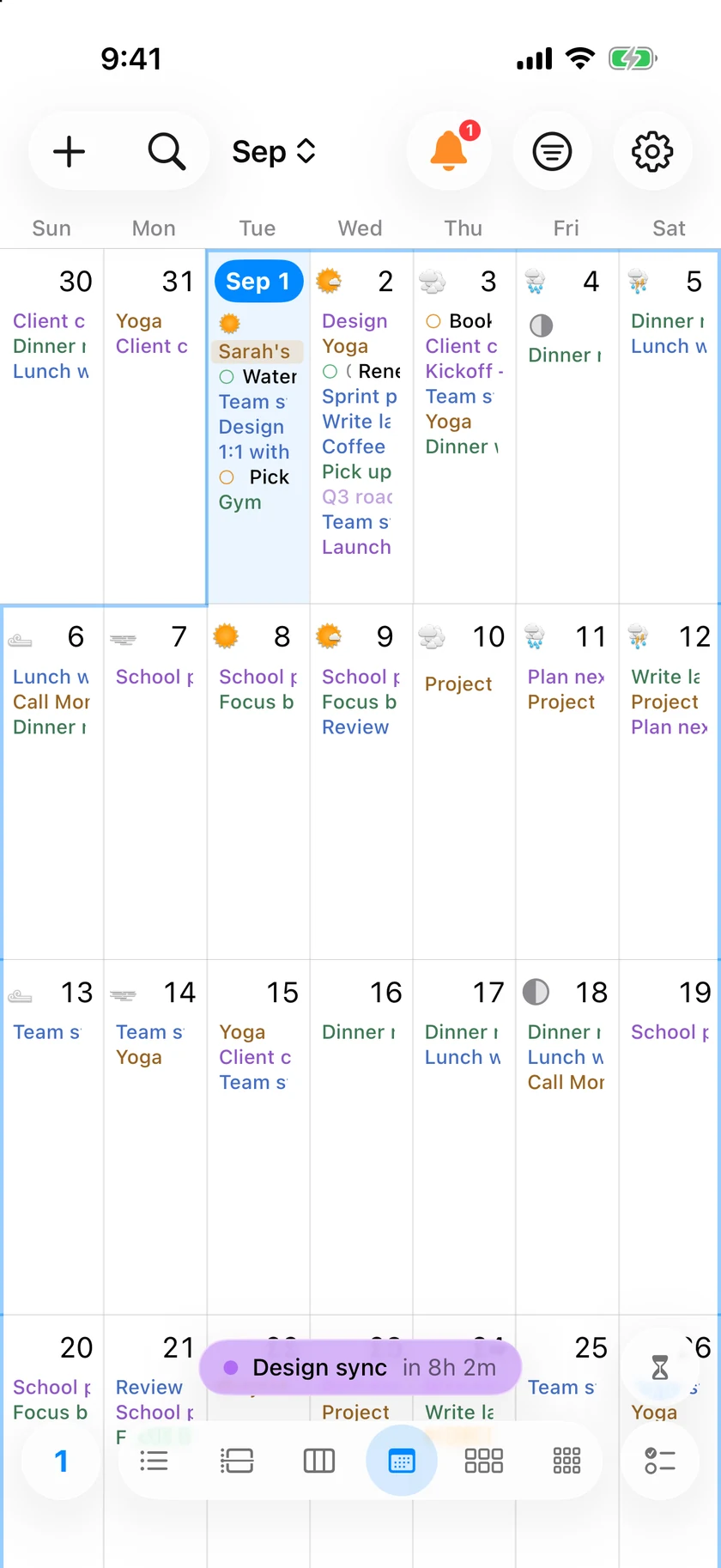
Pinch the grid until the month is the size you think in.
Two weeks on screen makes each day tall enough to read the titles; six weeks puts the whole month in one glance. Pinch to change it, or set it in Appearance and leave it.
- Work days only — the weekend columns step aside so Monday to Friday get the full width
- Open on the current week, or on the top of the month
- Today is a home button: one press lands on today's week, a second opens today's card
- Quarter is one continuous grid of thirteen weeks, and the week strip swipes on for ever

Every view is at home after dark.
InstaCal follows your iPhone appearance across the calendar, controls and event details while preserving useful color and contrast.
- A true black calendar background feels natural on OLED displays
- Event colors, weather and moon phases stay distinct at a glance
- The same complete Month view, without a stripped-down night layout
Move from the next hour to the year ahead.
Agenda, Day, Week, Month, Quarter and Year are separate native views — not one phone layout stretched into different shapes.


Build the Home Screen around the questions you ask.
Swipe through real widgets from the latest build. Mix live countdowns, free-time context, reminders and the day ahead at the size each one needs.


Useful even when InstaCal is not the frontmost screen.
Lock Screen, Live Activities and Dynamic Island
Keep the next event or a departure-aware leave-by update visible while another app stays in front. Quick Add can live in Control Center.
Travel and leave-by intelligence
See measured travel time, the time you should leave and an optional alert as departure approaches.
Siri, Shortcuts and Day Briefing
Add or change an event, ask what is next, or request a concise briefing of the day without navigating through the app.
Accounts you add here, not in Settings
iCloud, Fastmail, Yahoo and Fruux connect inside InstaCal with their server address already filled in and a link to where that provider issues an app password. Any other CalDAV server, and any webcal or .ics feed, goes in the same list.
Zoom meetings you create
Connect Zoom once and the editor can put a Zoom meeting on any calendar, not only the ones whose provider offers Meet or Teams. It travels with the event and goes away when the event does.
Your calendars, not another cloud
Apple, Google, Microsoft and CalDAV calendars stay with their providers. There is no InstaCal account, tracking system or intermediate event server.
Your calendar changes shape with the device.
The same $19.99 purchase includes purpose-built iPad and Apple Watch apps. Each has its own complete, screenshot-led page.

A workspace made for iPad
Agenda, calendar and event inspector open together in a responsive two- or three-pane workspace.
Explore InstaCal for iPad →


The next action, already on your wrist
Right Now, Today, Tasks, Week Pulse, Countdowns and wrist actions—shown with 13 real build captures on the Watch page.
See InstaCal for Apple Watch →Questions about InstaCal for iPhone
Is this a full iPhone calendar or a companion app?
What do the iPhone, iPad and Apple Watch apps require?
Do my calendars stay in sync?
Can I add an iCloud or Fastmail calendar without leaving the app?
Is the mobile app a separate purchase?
Does InstaCal collect any data?
How much does InstaCal cost?

Put the full calendar on your iPhone.
Six views, ten widget designs and every feature included for $19.99 once.
$29.99 $19.99 once. One purchase includes InstaCal for Mac, iPhone, iPad and Apple Watch. No subscription, InstaCal account or ads.