Snap a page. It's on your calendar.
Add from Image turns a photo of any schedule into events. Settings shows every choice before you make it, your agenda gets color and pictures, and the Live Countdown is back on iPhone.
Add from Image
Snap a school calendar, a flyer or an invitation, or share a screenshot or PDF. Apple Intelligence finds every date; keep the ones you want and add them all at once.
Try Add from Image ›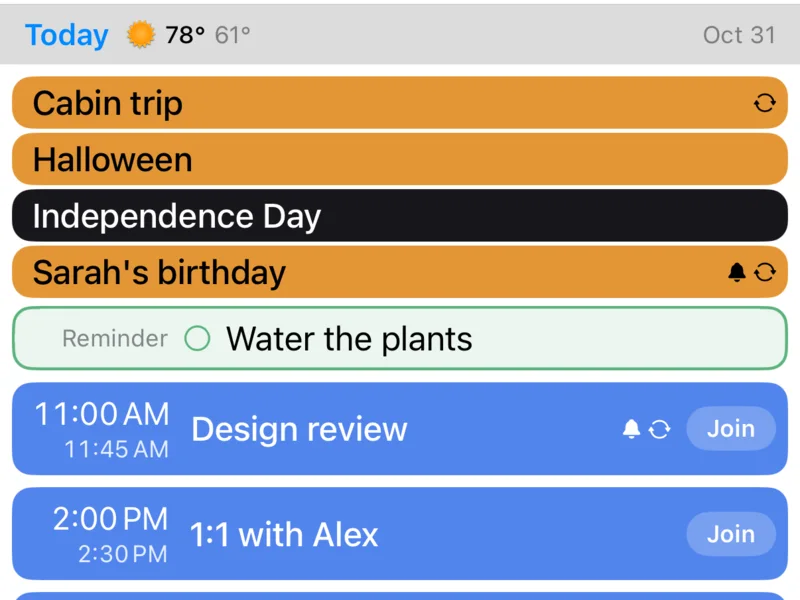
Full Color
Paint every event as a solid block in its calendar's color, so your day reads at a glance.
Turn on Full Color ›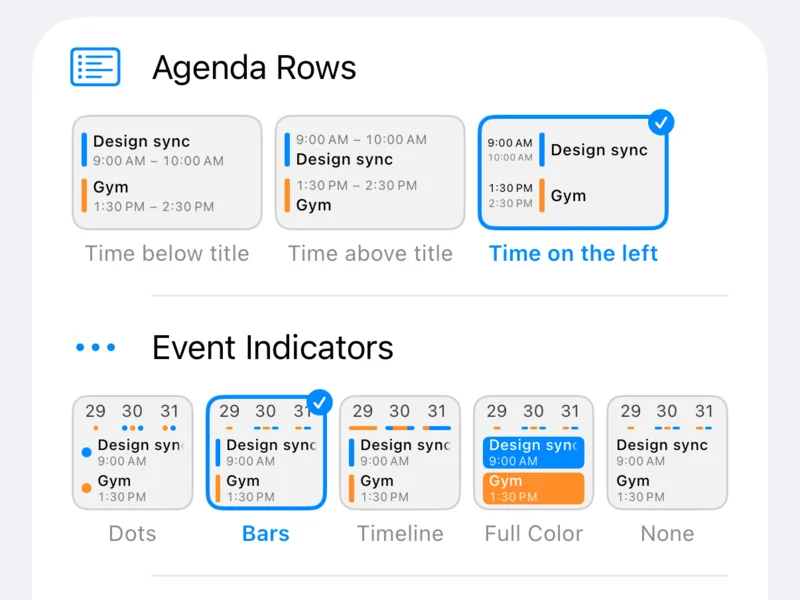
Settings you can see
Picture cards and live previews show what each choice looks like before you pick it.
See the new Settings ›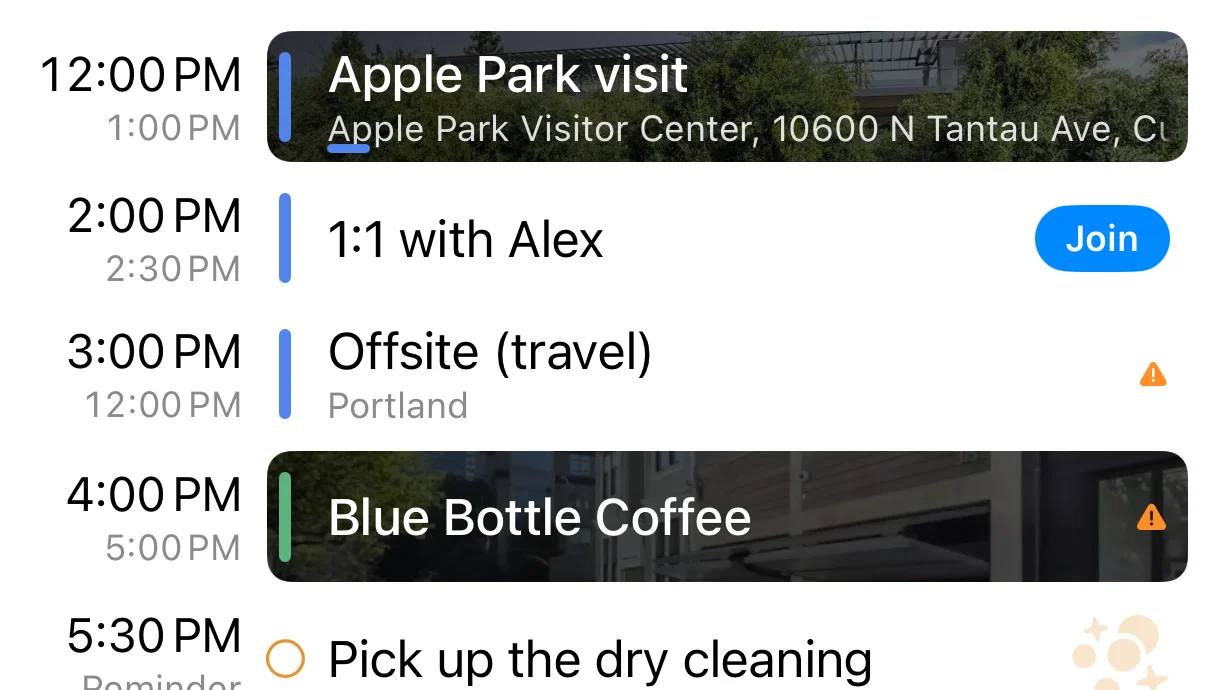
Pictures and places
A street view of where an event is, like Apple Park or your coffee shop, or a fitting picture for things like the dry cleaning, in any agenda style.
Turn on pictures ›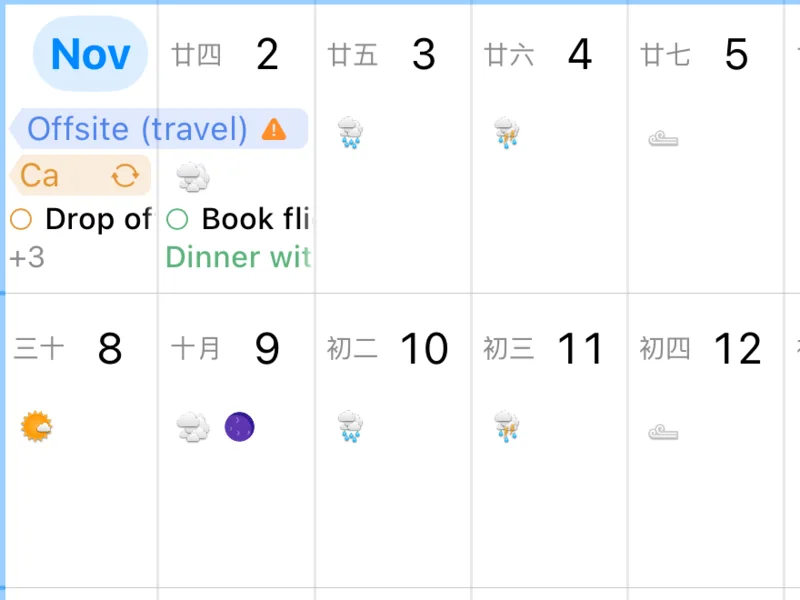
Chinese lunar calendar
Every day carries its lunar date, with festivals and the 24 solar terms in your accent color.
Show lunar dates ›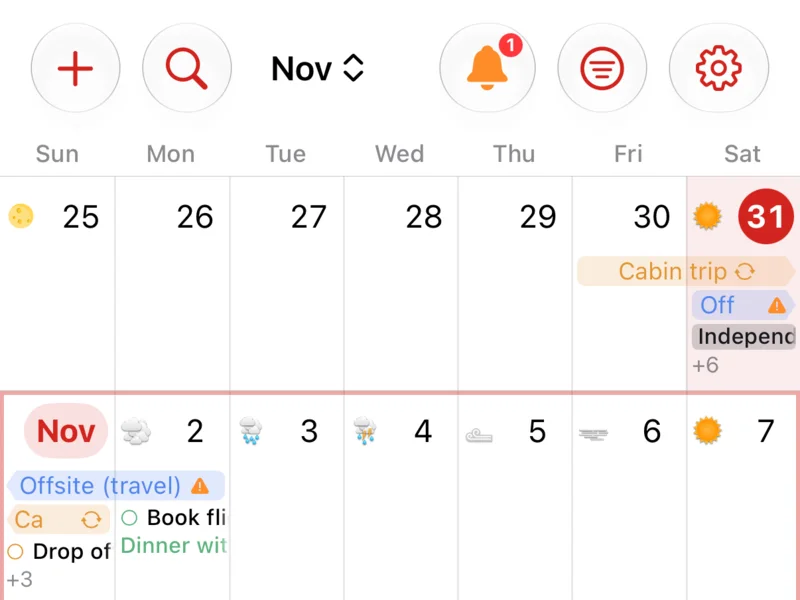
Make it your color
Pick Blue, Red or any accent you like. Your widgets, Apple Watch and a new Blue app icon follow it.
Pick your color ›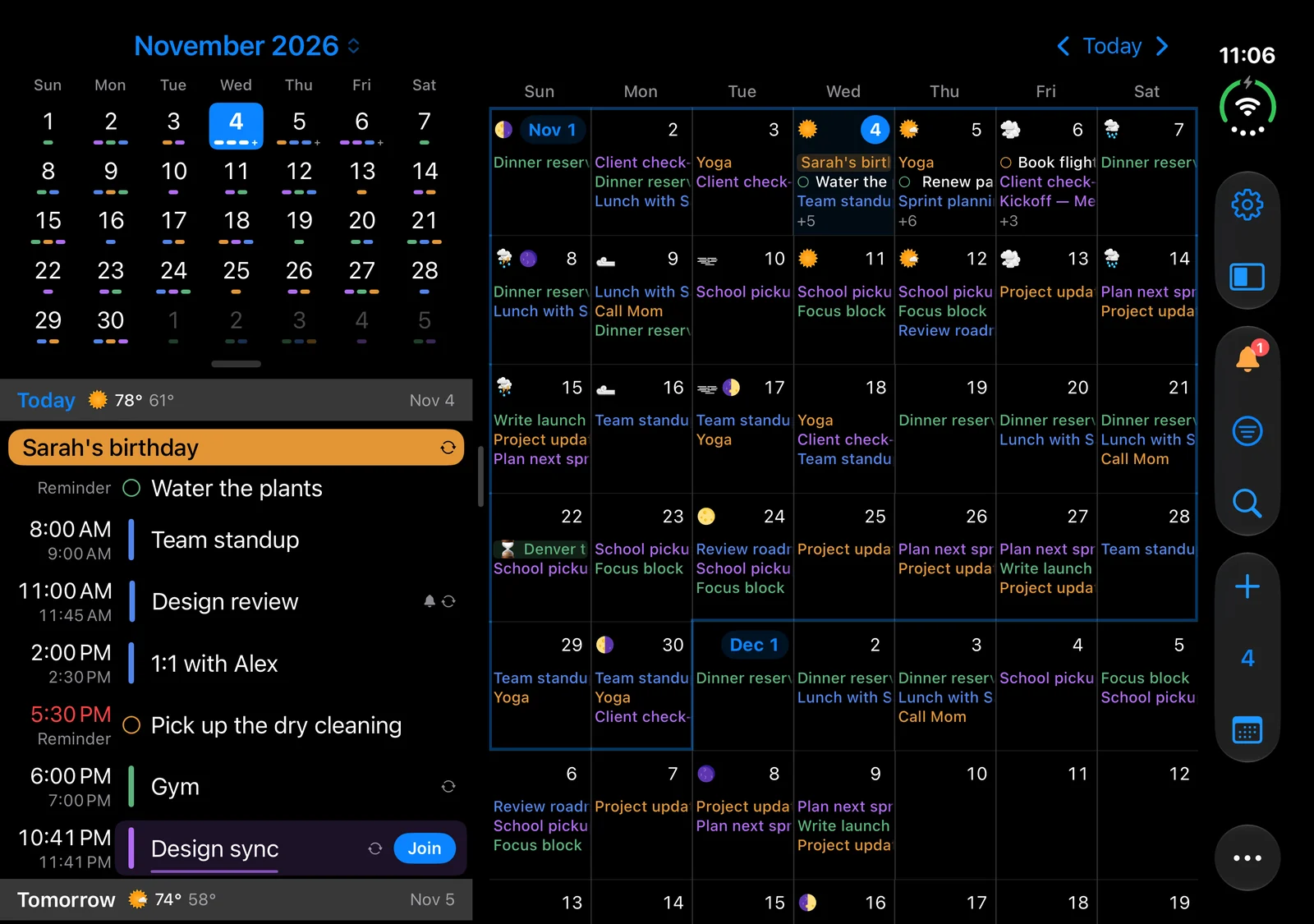
iPhone Duo, side by side
Open it and the month and today's agenda share the screen, with a divider you can drag. Hold it upright for styles built around the hinge, like Wall Calendar and Planner Week.
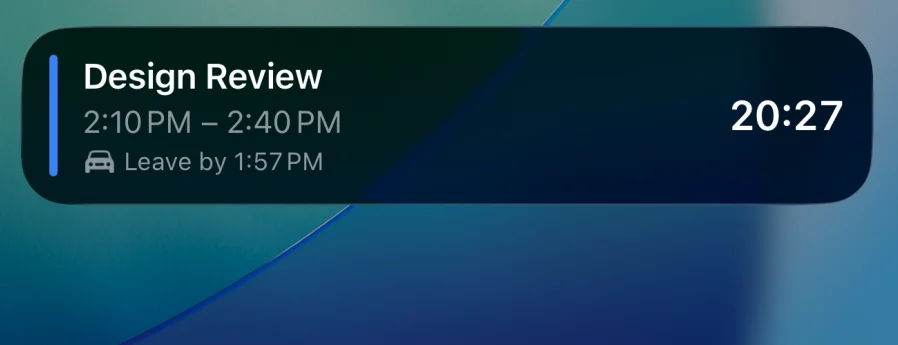
The Live Countdown is back
Your next event counts down on the Lock Screen and in the Dynamic Island, with a leave-by time when you're traveling, then switches to time left.
Set up the Live Countdown ›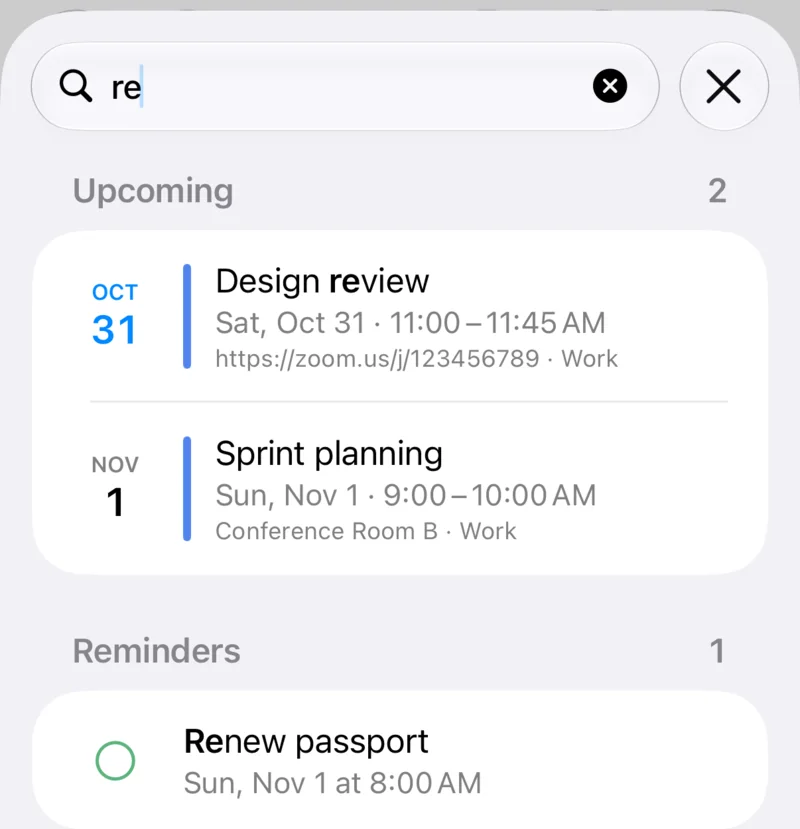
Search, on its own screen
Tap the magnifying glass for the upcoming events, reminders and past events that match, with your recent searches ready before you type.
Search your calendar ›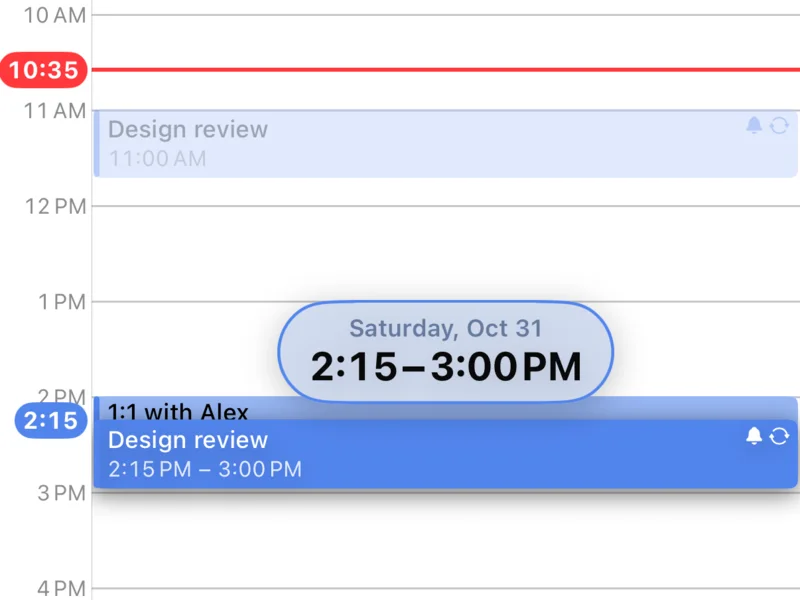
Pick it up, move it
Hold an event in Day or Week and drag it where you want it; its new day and time float just above it as you go.
Everything in this release
InstaCal 4.0 is on the App Store for iPhone, iPad and Apple Watch today. The Mac version is with Apple for review and follows soon.
Plus 16 smaller changes — fixes, tidy-ups and one-line wins that didn't need a paragraph. See every line →
Everything in this release
- Add from Image: turn a screenshot, a photo or a PDF of a school calendar, a newsletter, an invitation or a class schedule into events and reminders. Share it from Safari, Preview or Mail, or drop it on the menu bar icon, and InstaCal reads it privately with Apple Intelligence and lists what it found to review, leaving out what's already on your calendar.Mac
- Pictures: paint every event, reminder and task as a solid block of its calendar's color, and see a business's storefront from Apple Maps street view, or a matching picture for events like Haircut or Gym. Right-click a place's picture and choose Change Photo to use your own, framed the way you like, on all your devices.Mac
- Settings, redesigned: picture cards and live previews show what each choice will look like before you pick it, with new Panel and Agenda panes and the same names as on iPhone. Right-click a menu bar item, the agenda or the mini calendar to go straight to its settings.Mac
- Make it yours: choose an accent color in Settings › Theme, your Mac's accent, Blue, Red or any color you like, with a new Blue app icon to match. On devices with Apple Intelligence you can draw a poster for a countdown with Image Playground, and the menu bar can switch from an event's start time to a countdown as early as 12 hours before it begins.Mac
- Chinese lunar calendar: turn it on in Settings › General › Alternate Calendar, and every day in Month, Quarter, the menu bar's month and the desktop widgets carries its lunar date (初五), with festivals and the 24 solar terms in the accent color.Mac
- Day, Week and Quarter, reworked: overlapping events stack instead of squeezing into narrow columns, the current time sits in the hour column as a red clock, and Quarter can draw each day as a 24-hour strip in Settings › Calendar Views › Quarter cells.Mac
- Put one event on several dates at once with Add Another Date. Search the calendar window with Command-F. Hide a single event, or one occurrence of a repeating one, by right-clicking it and choosing Hide Event. Type a name in an event's Location field to pick from that contact's addresses. iCloud Tasks is on by default, so your tasks are on your Mac, iPhone and iPad alike.Mac
- Fixes: Day and Week line up on the days the clocks change, repeating Outlook and Exchange events keep their time across a switch, self-hosted CalDAV servers such as Baikal now connect, turning All-day on for a timed Google event now saves, and a repeating event moved to a Google calendar no longer disappears for a few minutes.Mac
- Add from Image: photograph a school calendar, a newsletter, an invitation or a gym’s class schedule, or share a photo, screenshot, PDF or web page to InstaCal, and every event, to-do and weekly class on it is ready to review and add. InstaCal reads the page privately with Apple Intelligence, unticks anything already on your calendar, and can put your child’s name in front of each title. Needs an iPhone or iPad with Apple Intelligence.iOS
- Pictures: see where an event is as a live street view, or a fitting picture for plans like Haircut or Halloween, and let Full Color paint each event as a solid block of its calendar’s color. Setup now asks how your day should look, Classic, Full Color or Pictures, on a live agenda, and you can change your mind in Settings. Pick your own photo of a place with Change Photo, or turn the street view to the angle you like and choose Use This View, and with iCloud sync on it follows you to your other iPhone, iPad and Mac.iOS
- iPhone Duo and iPad, side by side: the mini month and agenda on the left and the calendar on the right, with a divider you drag and a Duo menu for the arrangement. Hold the Duo upright and choose a style built around the hinge: Month + Agenda, Two Weeks, Month + Two Days, Quadrants, Planner Week, Tall Week, Wall Calendar, or Pick Each Half to put any view in either half. Each way you hold the Duo keeps its own layout in Settings › iPhone Duo; on iPad the same page is Settings › Split Layout.iOS
- The Live Countdown is back on your Lock Screen and in the Dynamic Island, and now counts down in your Apple Watch’s Smart Stack too. Your next event’s countdown starts by itself, switches to time left at the start, and says Ended when it’s over. Choose how early it appears in Settings › Widgets & Live Activity.iOS
- Chinese lunar calendar: turn it on in Settings › Date & Time › Alternate Calendar, and every day in Month, Quarter, the Home Screen widgets and on your Apple Watch carries its lunar date, with festivals and the 24 solar terms in the accent color.iOS
- Day, Week and Quarter, reworked: move an event by holding it and dragging it where you want it, reading its new day and time as you go. Overlapping events stack instead of squeezing into slivers. Quarter can draw each day as a 24-hour strip, every event a pill from its start to its end, in Settings › Calendar Views › Quarter Cells. Choose the view InstaCal opens to, and the view it turns to in landscape, in Settings › Calendar Views.iOS
- Put one event on several dates at once: tap Add Another Date in a new event and InstaCal adds a separate event for each date. Search has its own screen, with your recent searches ready before you type. Hide a single event, or one occurrence of a repeating one, without hiding its calendar. Swipe left on a reminder or a task to delete it.iOS
- Make it yours: Settings is redesigned to match the Mac, with picture cards that show what each choice looks like before you pick it. Choose an accent color in Settings › Theme, Blue, Red or any color you like, and your widgets and Apple Watch follow it, with a new Blue app icon to match. The Countdowns widget can show a poster or a cross-off calendar, the Next Event widget has an Add button for Quick Add, and on devices with Apple Intelligence you can draw a poster for a countdown with Image Playground.iOS
