Entire series, and more of Google Tasks
Change or delete a repeating event for its entire series, past occurrences included. Google Tasks gains subtasks and a place on the calendar, tasks import from a file, and your calendars reach back five years.
A repeating event, start to finishMaciOS
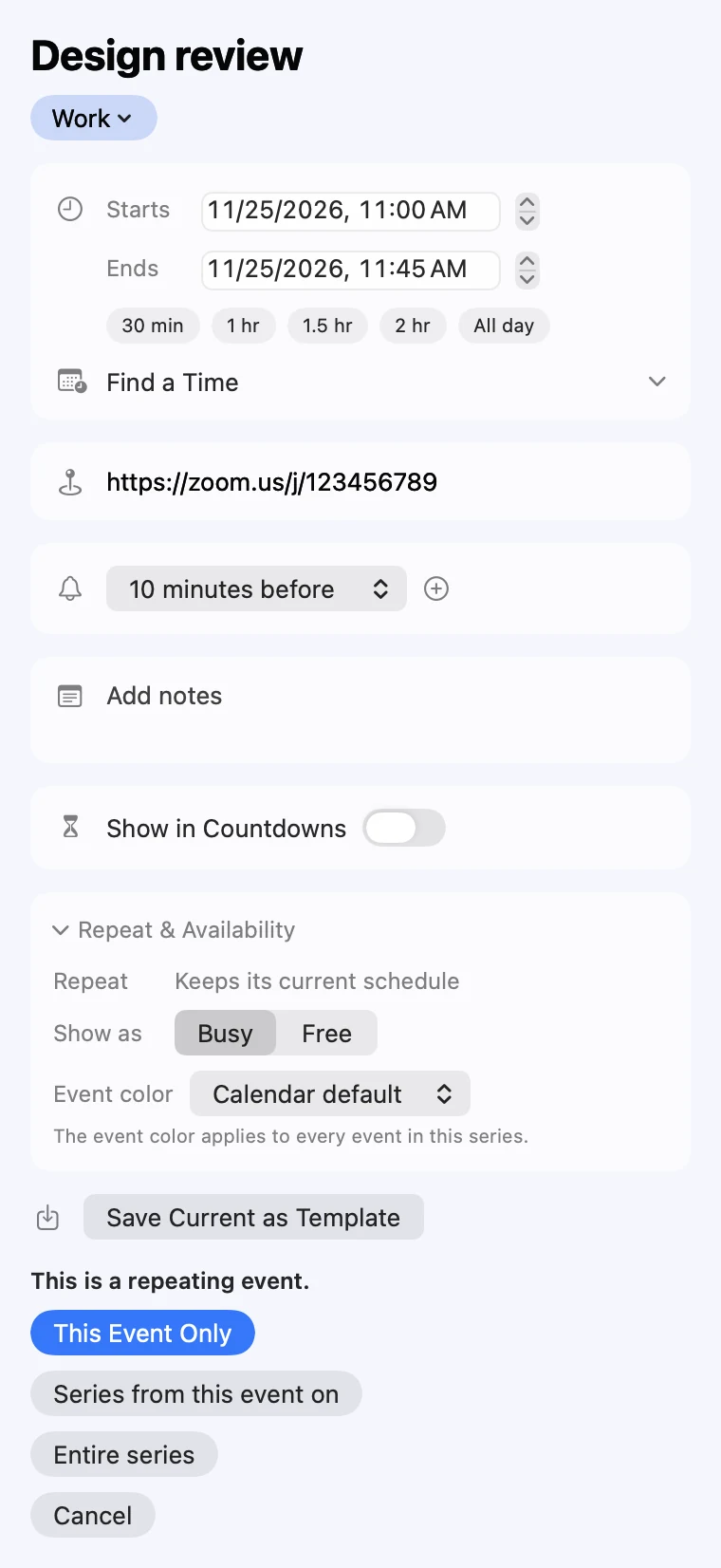
A repeating event can now be changed or deleted for its entire series. Until now the choices were this one event, or this one and everything after it, so a weekly class that had been running for a year kept its old name on every past week.
Choose Entire series when you save or delete and every occurrence takes the change, the ones already behind you included.
More of Google TasksMaciOS
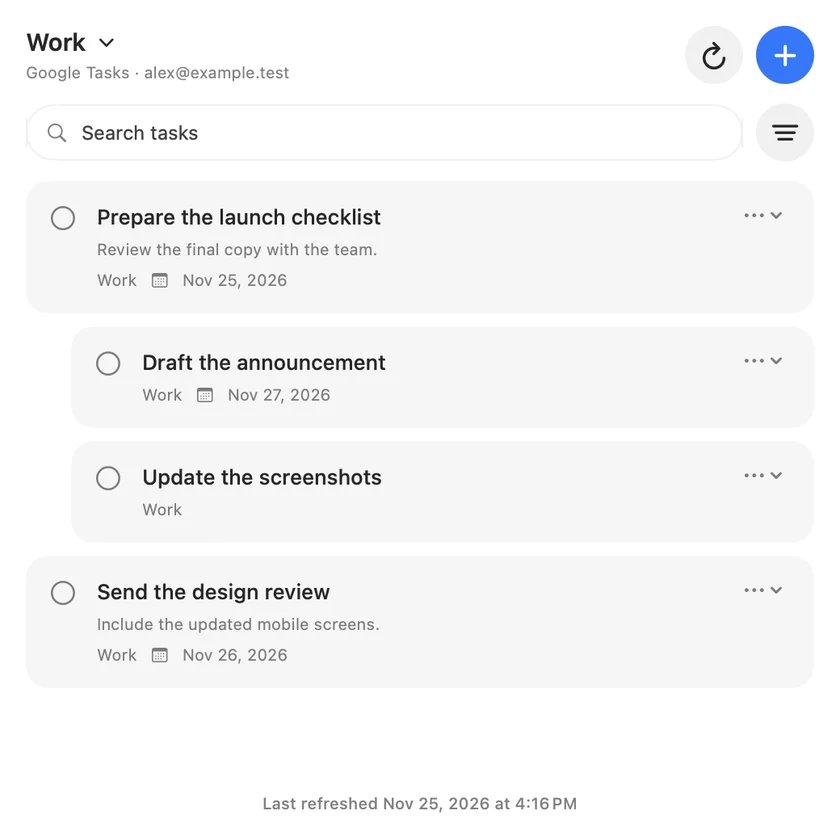
Subtasks in Google Tasks sit under their parent, and you can add, edit, complete and move them from InstaCal.
Google Tasks and Microsoft To Do can also appear on the calendar, each task on its day. That is off until you turn it on in Settings → Tasks.
Plus 16 smaller changes — fixes, tidy-ups and one-line wins that didn't need a paragraph. See every line →
Everything in this release
- Countdowns has a home of its own. The hourglass in the panel opens your countdowns beside Reminders and Tasks, and a Countdowns window shows them as poster cards led by the days left.Mac
- A new Date widget shows the weekday and today's date, large, above what is left of your day. The medium size adds the next days that have something on them.Mac
- Choose how long Snooze waits, from 5 minutes to an hour, in Settings → Notifications. The Snooze button on an alert says how long.Mac
- Propose a new time when you answer a Microsoft invitation, and accept a guest's proposal on a meeting you organize. Event details also count each guest's reply and open a long guest list in full.Mac
- Setup asks where new events should go, with the likeliest calendar first, and the first Google, Outlook or CalDAV account you connect becomes the default for Quick Add, the + button and Siri until you pick another.Mac
- Quick Add and Quick Edit speak German, and moving, cancelling or renaming an event by typing works in twelve more languages.Mac
- Smart Filters can match on an event's length, such as shorter than 30 minutes or 2 hours or longer, and Tasks groups fold from their heading, which shows how many tasks they hold.Mac
- Tasks stays quick with thousands of tasks, an Agenda day with hundreds of items opens at once, a sync interrupted by sleep picks up again when the Mac wakes, and InstaCal writes far less to disk as it keeps account calendars current.Mac
- Month view can show as few as 2 weeks, so each day has room for many more events. Choose it in Settings → Calendar Views.Mac
- Change or delete a repeating event for its entire series, past occurrences included.
- Import tasks in bulk from an .ics file or a CSV spreadsheet. A preview shows what will arrive before anything is added.
- Google Tasks subtasks sit under their parent, and can be added, edited, completed and moved.
- Google Tasks and Microsoft To Do can appear on the calendar, each task on its day. Turn it on in Settings → Tasks.
- Look back five years in your calendars.
- InstaCal reopens itself after an update.Mac
- Performance and stability improvements.iOS
