Event colors, a Command Bar, and alarms that ring.
Give any event its own color. On the Mac, press ⌥⌘K from any app and type one line to add, find or go. On iPhone and iPad, event alerts can ring like a Clock alarm, through Silent mode and Focus. And unfinished reminders wait for you under Today.
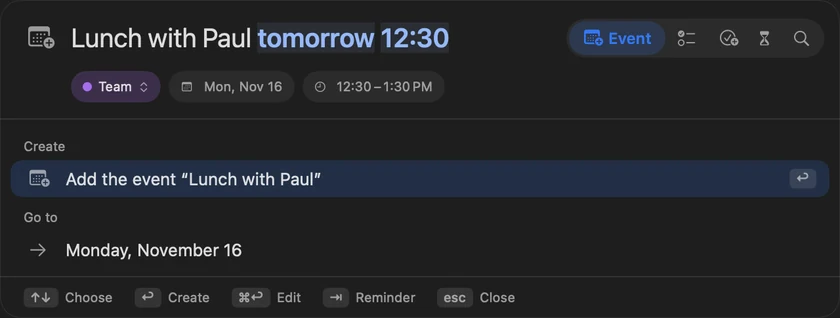
The Command Bar
Press ⌥⌘K from any app and type one line. InstaCal adds the event, reminder, task or countdown, goes to the date, or finds what you meant.
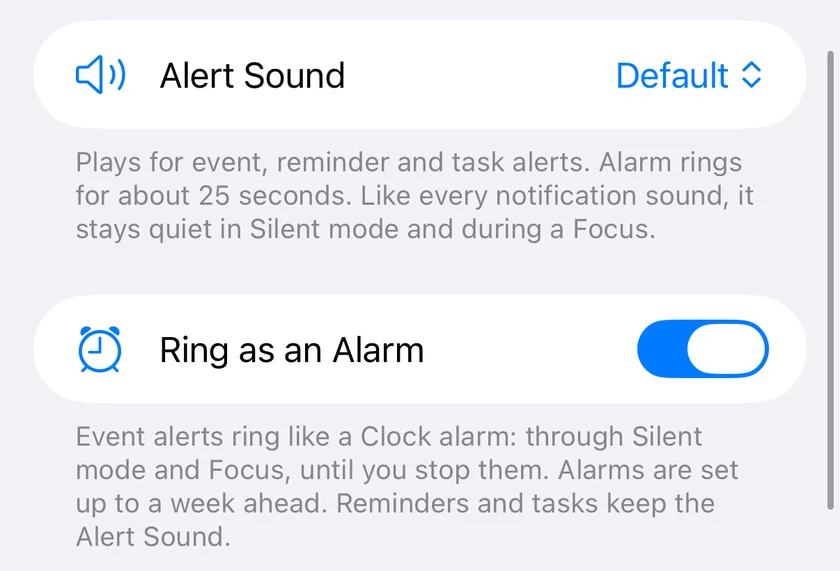
Ring as an Alarm
On iOS 26 and later, event alerts can ring like a Clock alarm, through Silent mode and Focus, until you stop them. Or pick a new Alert Sound: Chime, Bell or Alarm.
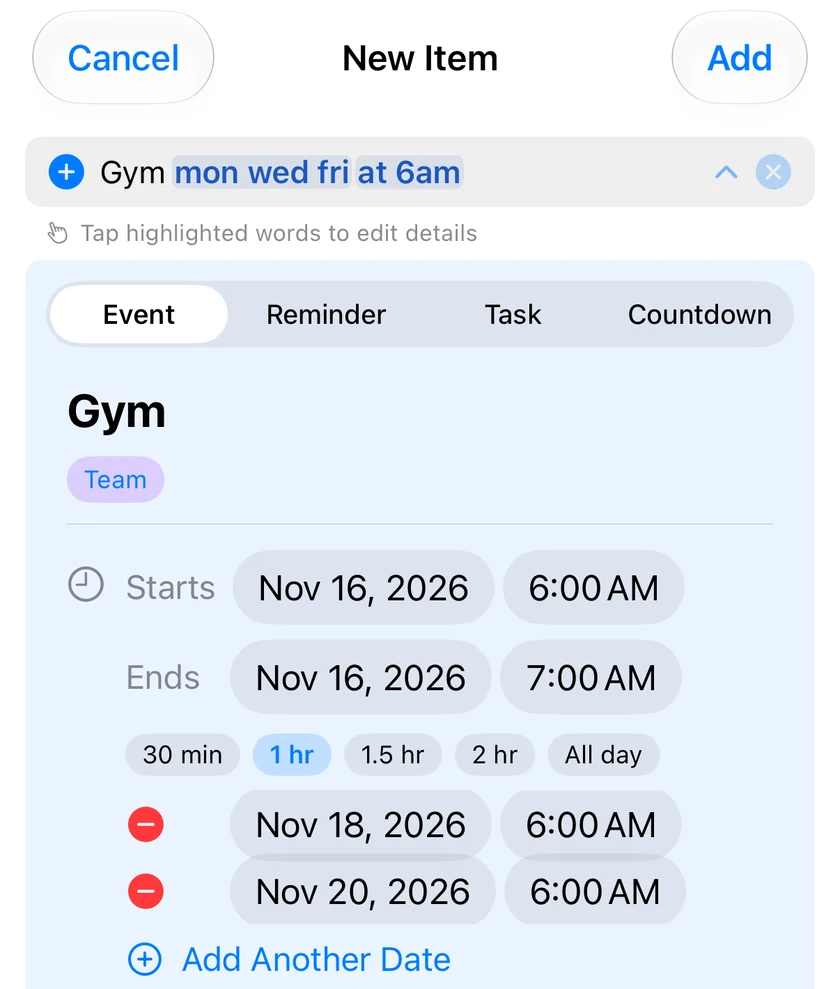
One line, several dates
Type "gym mon wed fri at 6am" and Quick Add puts a separate entry on each day.
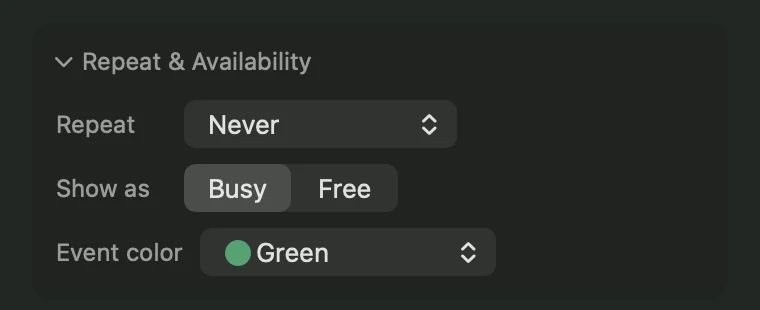
Event colors
Give any event on an iCloud, Exchange, Microsoft or CalDAV calendar its own color. One color covers a repeating series, and it syncs through iCloud.
Everything in this release
InstaCal 4.1 is on the App Store for iPhone, iPad and Apple Watch today. The Mac version is with Apple for review and follows soon.
Plus 15 smaller changes — fixes, tidy-ups and one-line wins that didn't need a paragraph. See every line →
Everything in this release
- The Command Bar: press ⌥⌘K from any app, or ⌘K inside InstaCal, and type one line. InstaCal adds the event, reminder, task or countdown, goes to the date, runs the command, or finds what you meant.Mac
- Event colors: give any event on an iCloud, Exchange, Microsoft or CalDAV calendar its own color, from the Event color row under More Options. One color covers a repeating series, and it syncs to your other devices through iCloud.Mac
- Unfinished reminders from earlier days are listed under Today in the agenda, with the day they were due in red. Settings > Reminders > Show overdue under today turns it off.
- Quick Add puts one entry on several dates: "gym mon wed fri at 6am" or "dr visit next 3 thursdays at 2pm" makes a separate entry for each, and reminders get Add Another Date.
- The Reminders widget comes in Large and Extra Large: Large lists about nine reminders, Extra Large shows two columns, and you can tick them off in the widget.Mac
- Drag an .ics file and a drop tab appears under InstaCal's menu bar icon. Drop the file on it to import its events.Mac
- Add from Image can be taken back: Undo in the finished window, and Recently Added for your last 30 groups, so a page added by mistake never leaves events scattered.Mac
- Countdowns can start from a reminder, Rokuyō joins the Alternate Calendar choices, and syncing and snoozed alerts are steadier.Mac
- Ring as an Alarm, on iOS 26 and later: event alerts ring like a Clock alarm, through Silent mode and Focus, until you stop them. Turn it on in Settings > Notifications.iOS
- Alert Sound: choose Default, Chime, Bell or Alarm for event, reminder, time-to-leave and task alerts.iOS
- Event colors: give any event on an iCloud, Exchange, Microsoft or CalDAV calendar its own color, from the Event color row in the new-event and edit forms. One color covers a repeating series, and it syncs through iCloud.iOS
- Widgets load in StandBy, where they could stay blank, and calendar widgets choose what they keep on a locked screen: Show All, Show Times or Hide All, under When Locked in Edit Widget.iOS
- The Reminders widget comes in Large, and on iPad in Extra Large: Large lists about nine reminders, Extra Large shows two columns, and you can tick them off in the widget.iOS
- Calendar changes made on the web or on another device reach your iPhone and iPad in the background, and notification buttons work when the app isn't running.iOS
- Add from Image can be taken back: Undo on the finished screen, and Recently Added for your last 30 groups.iOS
