Snooze on your schedule, and propose a new time.
Choose how long Snooze waits, propose a new time when you answer a Microsoft invitation, and filter events by how long they run. Plus a new Date widget, German in Quick Add, and Tasks that stay quick with thousands of tasks.
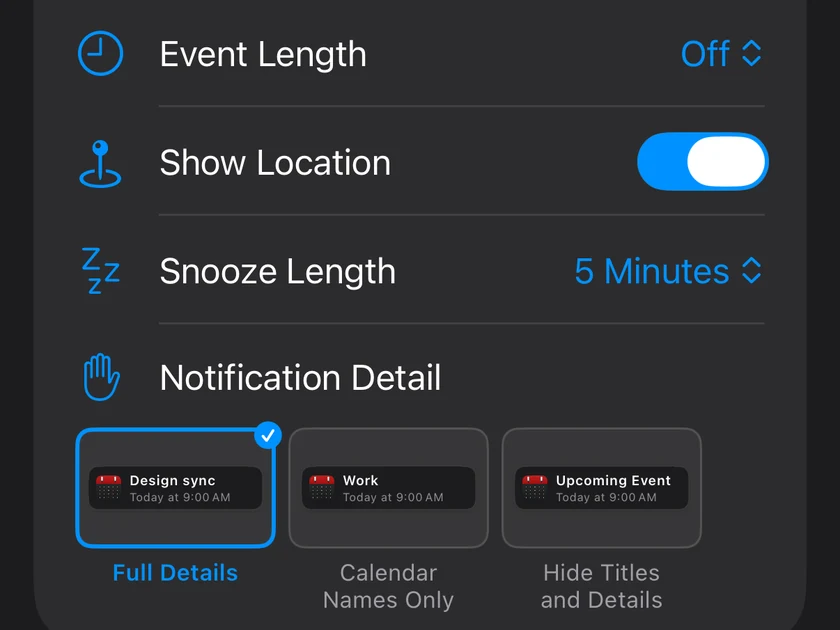
Snooze Length
Choose how long Snooze waits, from 5 minutes to an hour. The Snooze button on an alert says how long.
Set Snooze Length ›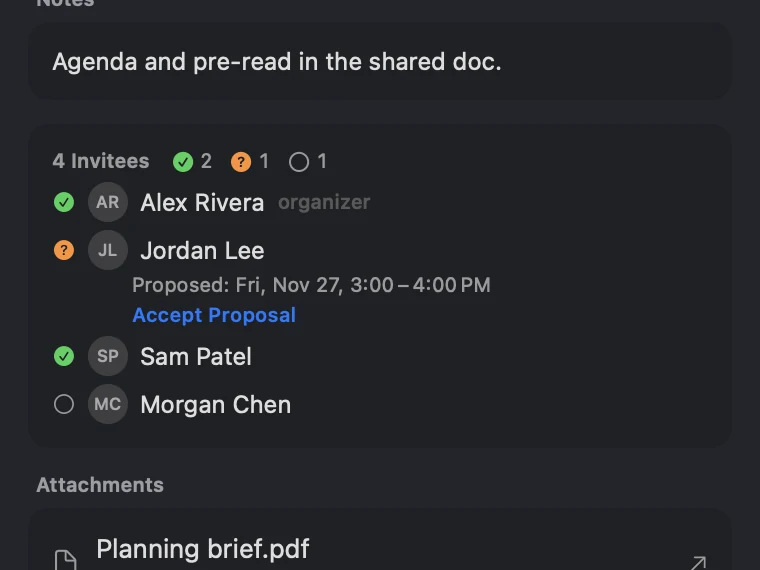
Propose New Time
Answer a Microsoft invitation with a time that works better. On a meeting you organize, each guest's proposal sits beside their reply, ready to accept.
Everything in this release
Today's date, front and centreMaciOS
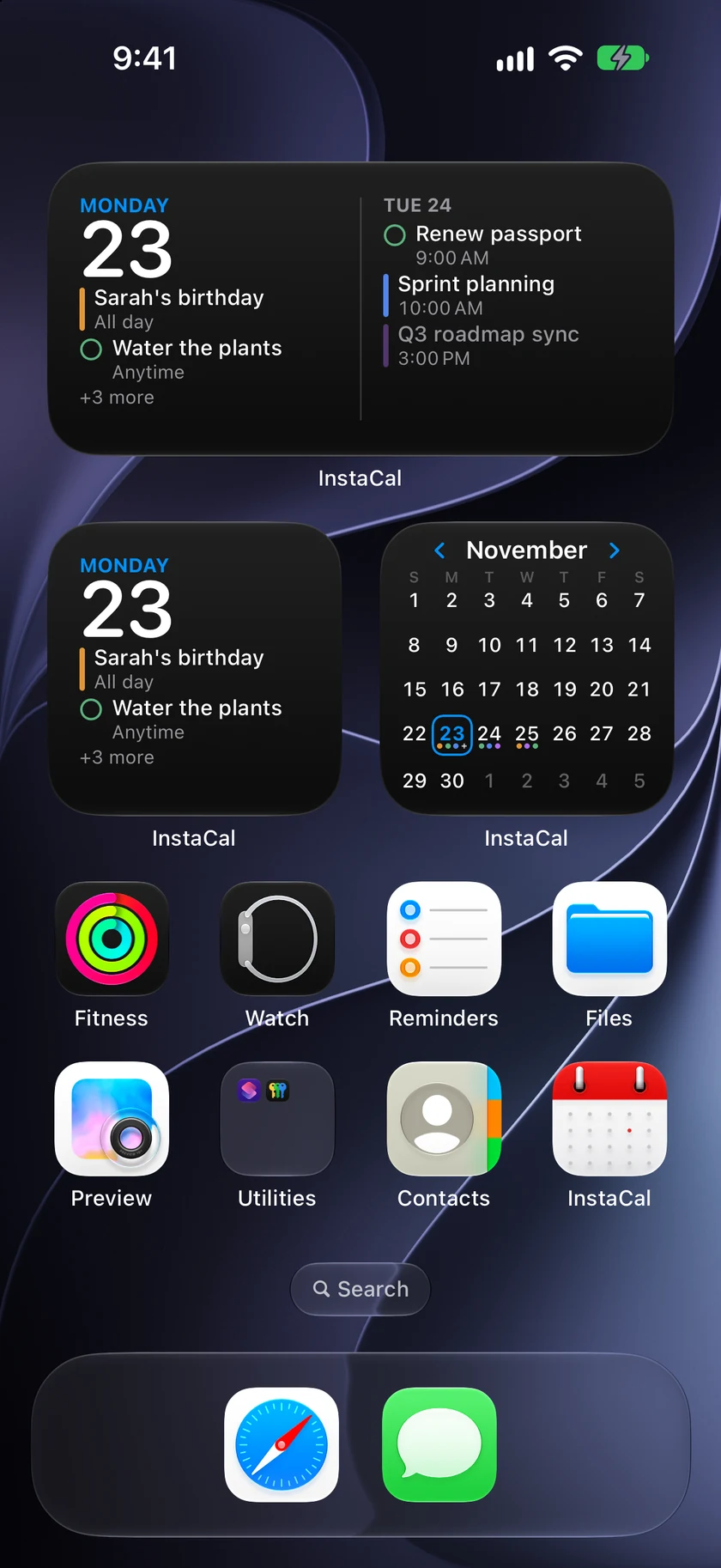
A new Date widget leads with the weekday and today's date, large, above what is left of your day. It comes in two sizes.
The small size shows what is next: the event under way, the reminder due later, and how many more there are. The medium size adds a second column with the next days that have something on them, so tomorrow's first meeting is already in view.
It follows the same Edit Widget choices as the others: your calendar set, theme, calendar colours and privacy.
Plus 10 smaller changes — fixes, tidy-ups and one-line wins that didn't need a paragraph. See every line →
Everything in this release
- A new Date widget shows the weekday and today's date, large, above what is left of your day. The medium size adds the next days that have something on them.
- Choose how long Snooze waits, from 5 minutes to an hour, in Settings → Notifications. The Snooze button on an alert says how long.
- Propose a new time when you answer a Microsoft invitation, and accept a guest's proposal on a meeting you organize. Event details also count each guest's reply and open a long guest list in full.
- Setup asks where new events should go, with the likeliest calendar first, and the first Google, Outlook or CalDAV account you connect becomes the default for Quick Add, the + button and Siri until you pick another.Mac
- Quick Add and Quick Edit speak German, and moving, cancelling or renaming an event by typing works in twelve more languages.
- Smart Filters can match on an event's length, such as shorter than 30 minutes or 2 hours or longer, and Tasks groups fold from their heading, which shows how many tasks they hold.Mac
- Tasks stays quick with thousands of tasks, an Agenda day with hundreds of items opens at once, and a sync interrupted by sleep picks up again when the Mac wakes.Mac
- Setup asks where new events should go, with the likeliest calendar first, and picks up where it left off if you close the app part-way through. Settings → Notifications offers to turn notifications on if InstaCal was never allowed to send them.iOS
- On a wide iPad, Tasks opens in the calendar pane instead of a sheet. On an open iPhone Duo, the side column follows your Button Layout, and iPad and Duo gain a Refresh button.iOS
- Tasks stays quick with thousands of tasks, Today opens at once even with hundreds of overdue reminders, and a sync interrupted by sleep picks up again when the device wakes.iOS
