Next meeting in the menu bar, in short
- What's shown
- The title of your next event and a live countdown — "Design review · in 8m" — then how long is left once it starts.
- When it appears
- Only inside the lead time you choose, and it disappears when nothing is coming up, so the menu bar stays quiet.
- Joining a call
- InstaCal detects meeting links in an event's URL field, location, or notes for Zoom, Google Meet, Microsoft Teams, Webex and more, then keeps a Join button available until the meeting ends. Connect Zoom and the editor can mint the meeting too, on any calendar — not only the ones whose provider offers Meet or Teams.
- Where Join appears
- In the agenda row, in the event details flyout, and in the notification banner itself.
- Noisy calendars
- Exclude birthdays, holidays or any other calendar from ever becoming "your next event".
- Menu bar format
- Ten built-in date styles, from a bare "3" to ISO dates and week numbers, or a custom pattern you write.
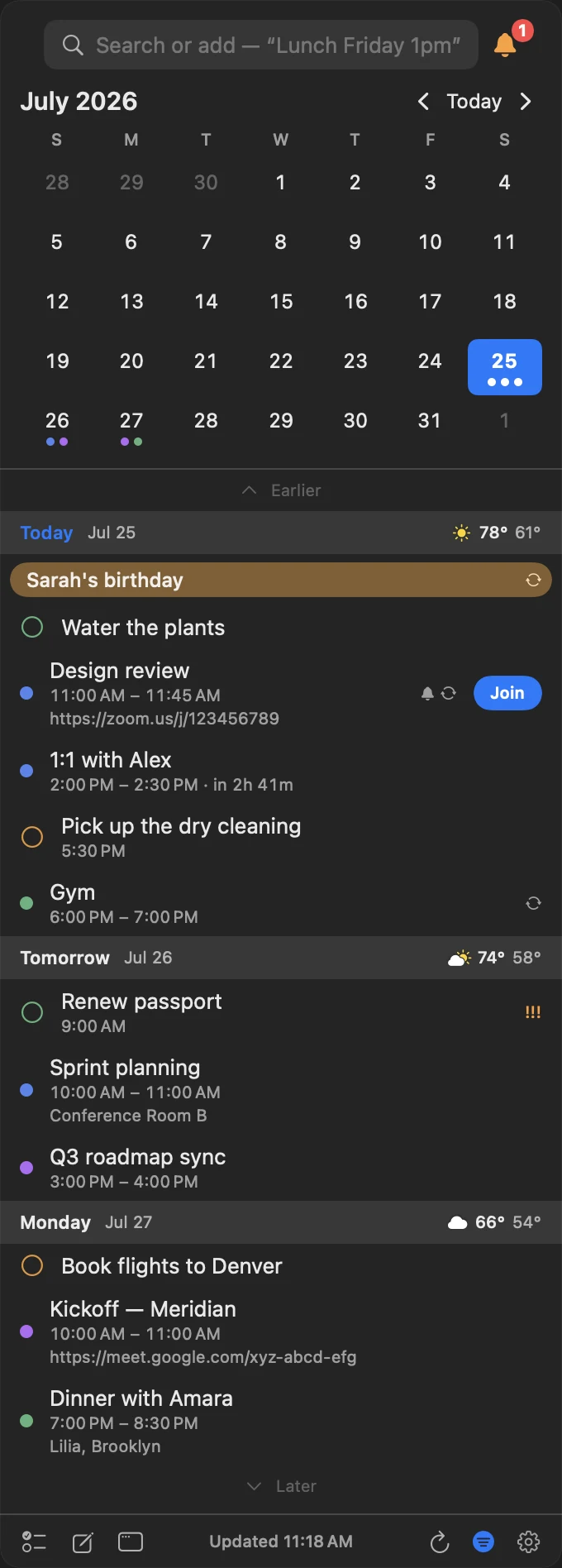
The countdown, and the link, on the event itself.
“in 33m” sits next to the time, so how long you have is something you read rather than calculate. The meeting link is pulled up onto the row from wherever it was buried in the invite.
- A live countdown that keeps counting during the event
- The call link surfaced from the URL, location or notes
- The same Join in the row, the details flyout and the notification
- Noisy calendars excluded from ever becoming “next”
The link is never where you left it.
Meeting links hide in whichever field the organiser happened to use. InstaCal looks in all of them.
It searches three fields
URL, location, and notes. Whichever one the organiser used, the Join button appears.
The meeting services you use
Zoom, Google Meet, Microsoft Teams, Webex and more, detected wherever the organiser put the link.
It shows up before you need it
The Join button is available whenever a detected meeting has not ended, so an early arrival or late reconnect is still one click.
Join from the notification
The banner carries the same Join button, plus snooze — so you can go from alert to call without opening anything.
Or make the meeting yourself
Connect Zoom once and the event editor can mint a Zoom meeting on any calendar — not only the ones whose provider offers Meet or Teams. The meeting belongs to the event, so it travels with it between calendars and goes away when the event does.
Why a countdown beats a start time
"11:00 AM" makes you do arithmetic against a clock you have to find. "in 8m" does not. That is the whole argument, and it is why every menu bar calendar worth using has converged on the same answer.
InstaCal shows the countdown only inside the lead time you set. Outside it, the menu bar goes back to being a date — because a permanent countdown to something six hours away is just noise with a number in it.
Common questions
Which video meeting services does InstaCal detect?
Can InstaCal create the meeting, not just find it?
Can I stop certain calendars appearing as my next event?
Does the countdown stay visible all day?
Can I change what the menu bar shows?
How much does InstaCal cost?

Never hunt for a meeting link again.
Your next event, a live countdown, and one click into the call.
$29.99 $19.99 once. One purchase includes InstaCal for Mac, iPhone, iPad and Apple Watch. No subscription, InstaCal account or ads.
More from InstaCal
Mac menu bar calendar
Month view, long-range agenda, reminders and invitations in one panel that opens with a keystroke.
Google Calendar in the menu bar
Sign in through your browser, keep tokens in your Keychain, and get Google events in the menu bar.
Outlook calendar in the menu bar
Microsoft 365 events in the macOS menu bar, with Teams links turned into one-click Join buttons.