Configure Conflict Blocking
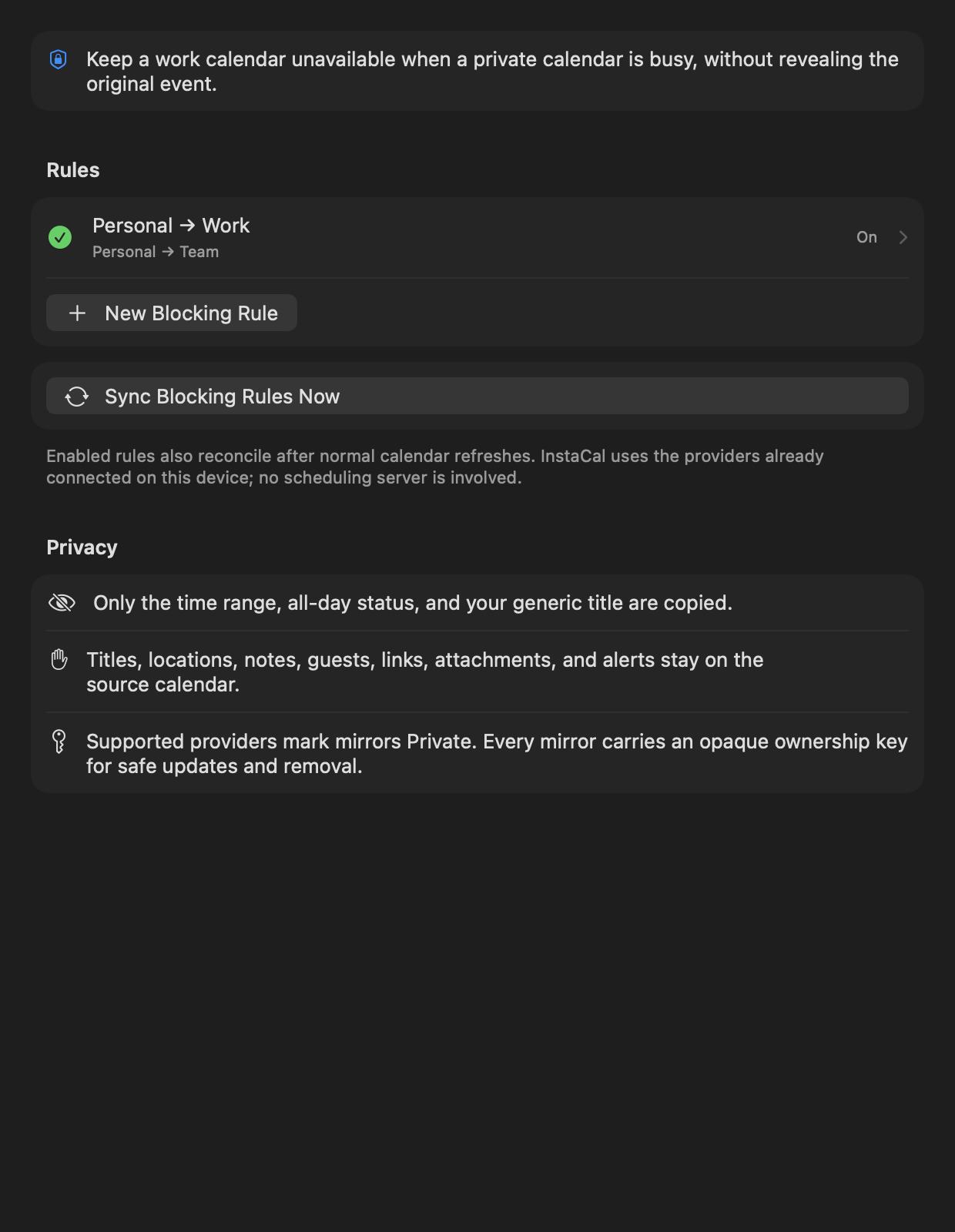
Open Settings → Calendars → Conflict Blocking. Choose the source calendars whose occupied times should be protected, then choose a destination calendar.
InstaCal mirrors matching private commitments as generic Busy blocks. The destination receives the time needed to prevent double-booking, not the source title, attendees, notes or location.
Block one event, without a rule
A rule is for a whole calendar. When it is a single meeting you want covered, open the event's actions menu and choose Block on Calendar, then pick the calendar to put the Busy copy on. The event's own detail card then shows a Blocked on row naming where the copies are, and Remove Blocking takes them away again.
Two things worth knowing:
- The source calendar does not have to be writable. Blocking a meeting from a shared read-only calendar onto your own is the everyday case, and it works.
- A block mirrors one occurrence, never the series. For a repeating event the menu says so at the top, so the tick beside a calendar name is not read as every week.
In the menu, a calendar already covered by a Conflict Blocking rule is ticked and labelled (by rule), and a calendar you can no longer write to is ticked and labelled (read-only) rather than quietly disappearing.
Avoid loops and duplicates
Do not select the destination as one of its own sources. Review the preview before enabling a rule, especially when two accounts already subscribe to each other’s free/busy information.
Remove a rule
Disable or delete the Conflict Blocking configuration from Settings. Review any destination blocks according to the confirmation shown; the source events remain untouched.
