What a Smart Filter saves
A Smart Filter is a reusable workspace. It combines the calendars that are checked, the current search, a set of event rules and, optionally, the calendar view to switch to. Use one for project meetings, travel, family planning or any repeated way you narrow the schedule. Filters stay on the device; nothing about them is sent anywhere.
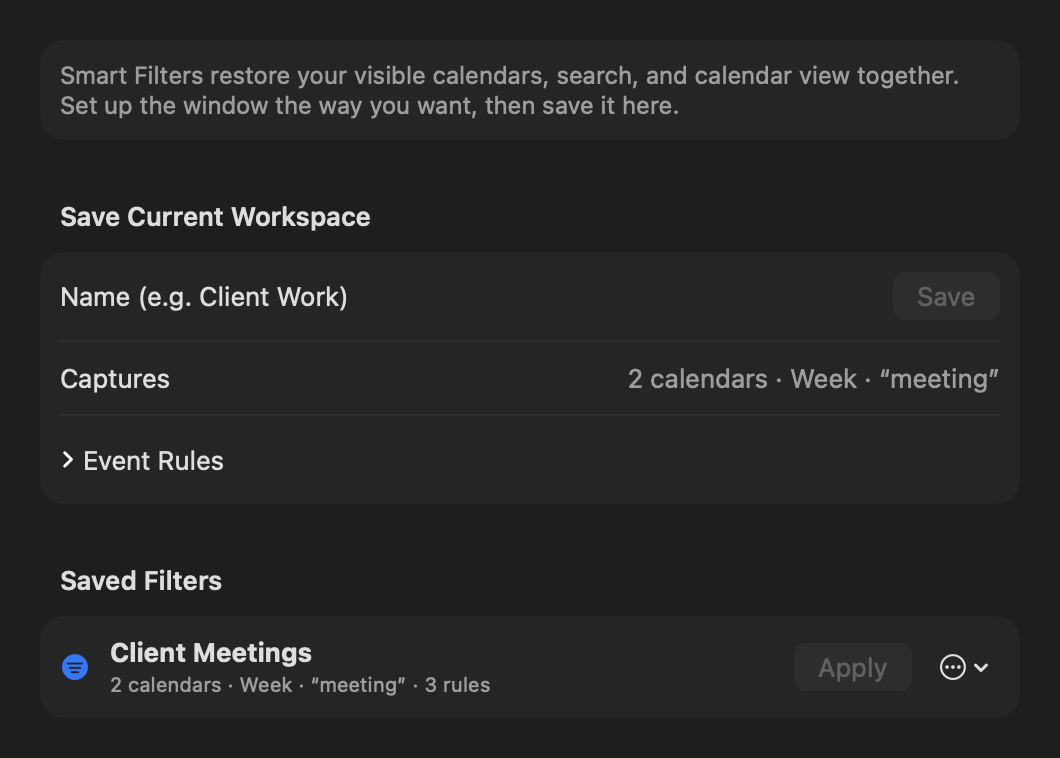
Save the current workspace
Arrange the calendar as you want it: check calendars, enter a search and choose a view. On Mac, open Settings → Smart Filters and choose Save; Remember the calendar view decides whether applying the filter also switches views. On iPhone or iPad, open Settings → Smart Filters and choose New Smart Filter, which starts from your current workspace.
Write rules
Select a filter and choose Edit Rules… on Mac, or open the filter on iPhone or iPad. A rule set has these parts:
| Rule | Options | Default |
|---|---|---|
| Text rules | Title, Location, Notes and Attendee, each set to contains or does not contain | Empty |
| Event Type | Any, All-day, Timed | Any |
| Availability | Any, Busy, Free | Any |
| Repeats | Any, Recurring, Does Not Repeat | Any |
| On days | Any combination of weekdays; none selected means any day | None |
| Start Time | Starts from and Until, or Any time | Any time |
| Match | All of the rules or Any of the rules | All |
A text rule matches any of several alternatives when you separate them with commas: “planning, review” matches either word. A Start Time window may run past midnight, such as 10:00 PM until 6:00 AM; all-day events have no start time and are left out of it.
Switches to picks the view a filter opens — Day, Week, Month, Quarter, Year, List or Week on Week — or Keep current view. The filter stays on as you move between views yourself.
Apply a filter and see that it is on
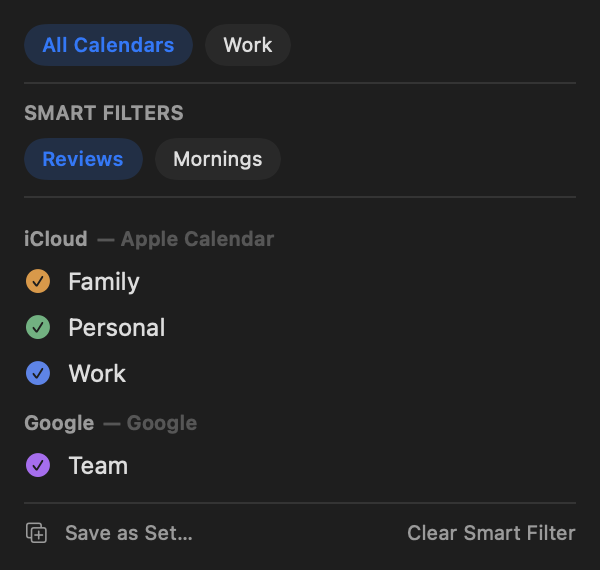
On Mac, every saved filter waits in the View → Smart Filters menu, and the calendar window’s toolbar shows a filled funnel while one is on. The menu bar panel’s calendars popover lists the filters under Smart Filters with the active one selected. On iPhone and iPad the filters are in the Filters sheet and, on iPad, under the same View → Smart Filters menu. Clear Smart Filter returns to the normal calendar selection without deleting the saved workspace.
Give a filter a key of its own under Settings → Shortcuts → Smart Filters on Mac; Clear Smart Filter can have one too.
Update or remove one
Open Settings → Smart Filters. Select a filter to Apply it, Update from Current Workspace, Edit Rules…, Duplicate or Delete it. Deleting a filter never changes or deletes calendar events.
Smart Filters and Calendar Sets
Calendar Sets answer “which calendars?” Smart Filters answer that plus “which events and which view?” Use a Calendar Set for a fast Work or Personal switch, and a Smart Filter when the workspace also needs a search, rules or a particular view.
